

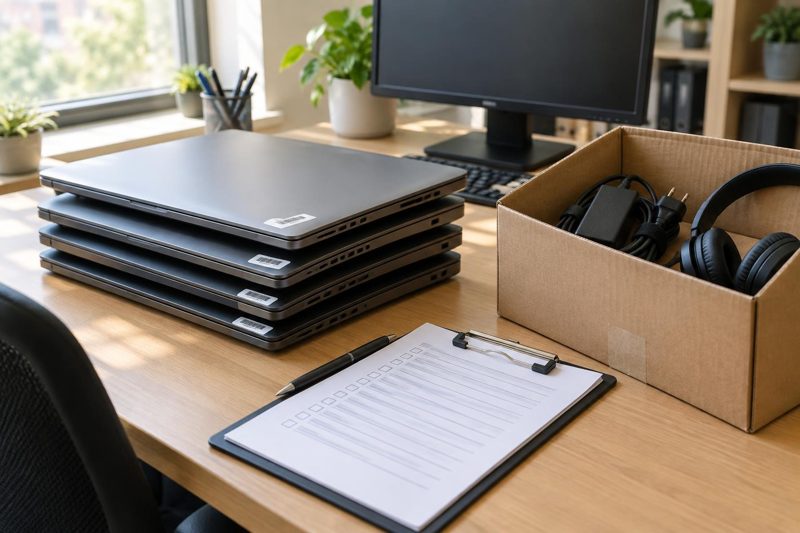
Every IT team has a laptop that walked out the door. Somebody leaves in March, HR shuts the account down the same afternoon, and nobody thinks about the hardware again. Then September rolls around, an auditor asks about an $1,800 MacBook still listed as assigned to a person who no longer works there, and the room goes quiet.
Nobody was careless, exactly. The process just had no place for that laptop to be noticed. IT equipment tracking is mostly about building that place.
The spreadsheet works right up until it doesn't
Almost everyone starts with a spreadsheet. It's free, it's familiar, and for the first thirty devices it's honestly fine. You add a row when you buy a laptop, you type a name in a column, and life goes on.
The trouble starts once the team grows past what one person can keep in their head. Two people edit the file on the same afternoon. Someone renames a column. A monitor gets swapped between desks and the sheet never hears about it. None of these is dramatic on its own. Together they mean the file slowly drifts away from reality, and the drift stays invisible until you need the data.
That's the real problem with a manual inventory. It's not that spreadsheets are bad. It's that they only stay accurate as long as every person remembers to update them, every single time.
What to record for every device
You don't need forty fields. You need the handful that answer real questions when they come up.
Serial number and asset tag, so you can tell two identical laptops apart. Who has it right now, and who had it before. Purchase date and warranty end date, since those decide whether a failing device gets repaired or replaced. Condition and location, especially for anyone working remotely. And a signed acknowledgment at handover, which sounds bureaucratic until the day someone claims they never received the thing.
The history matters more than people expect. A record that says “assigned to Priya” is useful. A record that says “assigned to Priya since January, previously Marcus, returned once with a cracked screen” saves you an hour of guessing.
When a dedicated tracker earns its keep
There's a point where patching the spreadsheet costs more than replacing it. You'll know you've hit it when someone on the team says “let me double-check that” before answering a simple question about who has which device.
At that stage a purpose-built tool makes sense. One option is bluetally.com, which pulls devices in from Intune, Jamf and similar management tools so the inventory updates itself instead of waiting on a human. Assignments, checkout history and warranty dates sit on the same record. There's also a free tier that covers up to 50 assets, which is enough to test the idea on a real slice of your equipment before you make any bigger decision.
Whatever you pick, judge it on one thing: does it stay accurate when nobody is paying attention? If the answer depends on people remembering, you've just moved the spreadsheet somewhere else.
Offboarding is where equipment really disappears
New hires get a laptop with a lot of ceremony. Ticket, imaging, welcome email, the works. Departures get a Slack message, if that.
The fix is to make offboarding trigger off something that can't be forgotten. If your identity provider already knows when someone's status changes, use it. The moment an employee is marked as leaving, the devices assigned to them should show up on a return list with an owner and a date. Not in someone's inbox. On a list that IT actually checks.
Remote staff need their own plan. Send a prepaid return box and a short checklist with the first reminder, not the last. Chasing someone two weeks after their final day is a lot harder than reaching out two days before it. And when the gear arrives, check it in the same day. A box sitting unopened in a mailroom is functionally a lost laptop with extra steps.
Don't forget the small stuff. Chargers, docks, headsets and that second monitor tend to be the first things to vanish, and they add up faster than anyone budgets for.
Small habits that keep the data honest
You don't need a big project plan for this. A few habits do most of the work.
Run a quick self-audit twice a year. Ask people to confirm what they have; it takes them a minute, and mismatches surface fast. Tag every device the day it arrives, before it ever reaches a desk. Review anything past its warranty date each quarter, because old hardware is where security patches quietly stop. And give one person ownership of the inventory, even if it's only a slice of their week. Shared responsibility for a data set usually means nobody's.
Start with the last person who left
If you take one thing from this, make it small. Find the last person who left your company and check whether every piece of equipment they had is accounted for. If it is, your process is better than most. If it isn't, you now know exactly where to start, and it took ten minutes.
Good tracking is rarely glamorous. It's just the difference between answering an auditor in a minute and answering in a week.
About the author
This is a guest post by Justin Hall.