








book written from your idea or notes

A writing desk photographed from above: a manuscript stack, a page marked up in orange, an open printed book, a finished paperback and a phone playing an audiobook, laid out left to right along the desk

The AI Ebook Creator for KDP and Beyond

Create ebooks that are well written and properly formatted

Write your ebook in your own voice, edit it with changes you approve, and export an EPUB that passes validation, with a print PDF and DOCX from the same manuscript.

  • 4.7
  • 536 reviews
  • 20,000+ authors
  • Free to start, no credit card
  • Validated EPUB export
  • Written in your voice
  • Covers at the KDP ratio

book written from your idea or notes

  • 20,000+Authors writing with AIWriteBook
  • 27,000+Books created on AIWriteBook
  • 30+Languages to write and translate in
  • 4.7/5Average author rating

Watch the AI Ebook Creator In Action

See an ebook written in the author's voice, edited and exported as a clean EPUB.

Why Ebooks Get Bad Reviews

Readers forgive a lot, but not a book that reads or looks careless.

Formatting that breaks on devices

Broken chapter breaks, odd fonts and failed uploads come from hand-built EPUB files.

Prose that feels generated

Ebooks written by generic AI sound the same, and reviewers call it out.

No edit before release

Typos and inconsistencies slip through when there is no editor and no proofread.

A listing that does not sell the book

Weak descriptions, wrong categories and empty keyword slots hide even a good ebook.

How the AI Ebook Creator Works

Write, edit, format and distribute. Each step keeps your voice and leaves the decisions to you.

1.Write

Write it in your voice

Start from an idea or bring the draft you already have. Add a sample of your writing, shape the outline and characters, then write chapter by chapter. The AI proposes each chapter; you decide what stays.

  • Paste 6 to 10 paragraphs of your own writing and every chapter follows that style
  • Import a Word .docx of up to 200,000 words without a line of it rewritten
  • An outline, characters and chapters you can reorder, edit or rewrite
  • Choose the model for each chapter: Gemini, Claude or Grok
  • Standing instructions for the book, extra instructions for any chapter

2.Edit

Edit without losing yourself

Editing keeps your voice and leaves every decision to you. Ask for a change and see it as a diff, or open the Book Editor step for a genre scorecard, an editorial letter and line edits that go straight into your chapters.

  • Chapter chat shows every change as a diff you accept or reject
  • Book Editor: a genre scorecard, an editorial letter and line edits with proofreading built in
  • Every suggested replacement is accepted or rejected one by one
  • AI proofreader with several fixes to choose from for each issue
  • Edit any line yourself in the editor, whenever you like

3.Format

Format a clean ebook and print edition

Choose an interior theme and font, and export an EPUB that is validated before you upload it, plus a print PDF and DOCX from the same manuscript.

  • Five interior themes and 12 embedded body fonts
  • Nine trim sizes, with front and back matter built in
  • Print PDF, EPUB and DOCX, with EPUB validation
  • A cover at the 1840 x 2784 KDP ratio, or upload your own
  • An audiobook made from the same manuscript

4.Distribute

Distribute it under your name

Take the files to Amazon KDP or any other store. The KDP extension fills the Details, Content and Pricing pages while you review each one. Share one Author Page link and collect the emails of readers who want your next book.

NanoReads
Distribute on NanoReads

Our reader website + iOS/Android apps

140,000+
registered readers
on NanoReads

Readers who browse your genre on NanoReads can find your book there.

Written by Real Authors with AIWriteBook

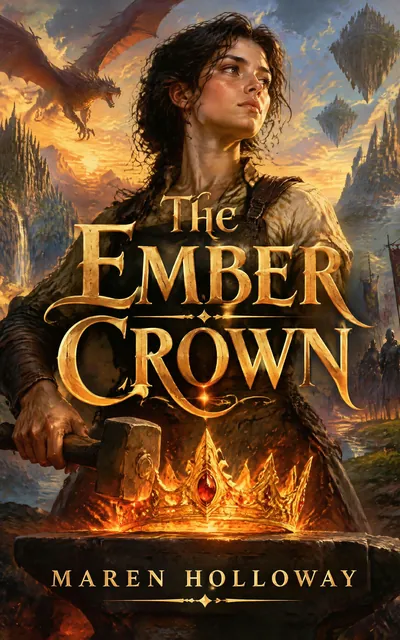
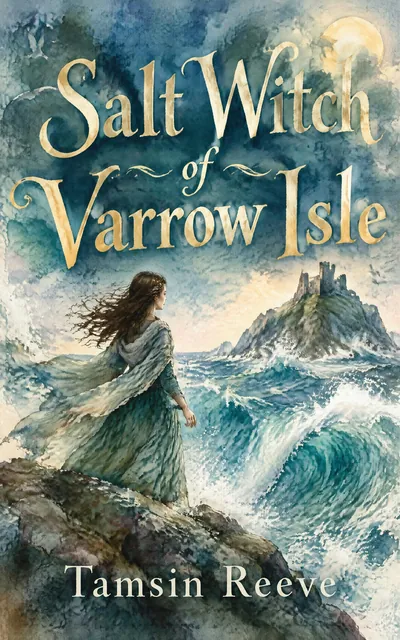
Browse books created by authors just like you

Everything Your Ebook Needs

From the first chapter to the store listing, built for a book readers keep reading.

Validated EPUB

EPUB files are checked with epubcheck, so the file you upload to KDP or another store is technically sound.

Professional interiors

Five interior themes and 12 embedded fonts, with front and back matter and a table of contents built in.

Your voice throughout

Chapters follow a sample of your writing, and every AI edit is a visible change you accept or reject.

A cover that fits the store

Generate a cover at 1840 x 2784, the KDP ratio, with your title and name, or upload your own.

Listing tools

A blurb generator, KDP keyword research with real Amazon data and a category finder help readers find the ebook.

Every store, not just Amazon

The EPUB, print PDF and DOCX work for Apple Books, Kobo, Google Play and other stores too.

Try it on your own book

Plan, write and edit your first chapter free.

No credit card needed

Making an Ebook Before and After AIWriteBook

What changes when writing, editing and formatting live in one place.

The Old Way

  • Hand-built EPUB files that fail upload
  • Generic AI text that reviewers spot
  • Publishing without an edit
  • A cover that does not fit the store's ratio
  • Guessing categories and keywords

With AIWriteBook

  • EPUB validated before you upload it
  • Chapters written to a sample of your prose
  • An editorial letter, line edits and a proofread you approve
  • A cover at the 1840 x 2784 KDP ratio
  • Keyword research with real Amazon data and a category finder

Already have a draft?

Import your Word file and keep writing in your own voice.

No credit card needed

What writers say about AIWriteBook

Real reviews left on AppSumo, Trustpilot and the other places our customers use.

4.7536 reviews onAppSumoCapterraTAAFTToolify

Questions About the AI Ebook Creator

What to know before you create your ebook.

Still have questions?Contact Support

Publish an Ebook Readers Take Seriously

Written in your voice, edited on your terms and formatted to pass validation. Start your ebook free.

  • No credit card required
  • Validated EPUB export
  • You keep 100% ownership