

If you manually write down the information the book contains, it will not only consume your valuable time but also increase the chances of making errors like missing details. So, what should you do? Well, there is no need to get disappointed, as OCR-powered tools are here to help.
These tools convert images or scans of physical documents, papers, and book pages into editable digital text. In this author's guide, we will explain a step-by-step procedure that should be followed.
4 Steps for Authors to Collect Information from Library Books in Digital Format
The process is simple and straightforward. All you need to do is follow these steps.
Take a Photo of Library Book Page
As an author, you first have to capture a clear picture of the book page whose information you want to save digitally. The image will later be converted into editable text using OCR-powered tools.
While taking a photo, you need to ensure multiple things:
First is image quality in terms of resolution. A high-resolution picture can be easily processed for text extraction. Second, the picture should be complete, with no information missing.
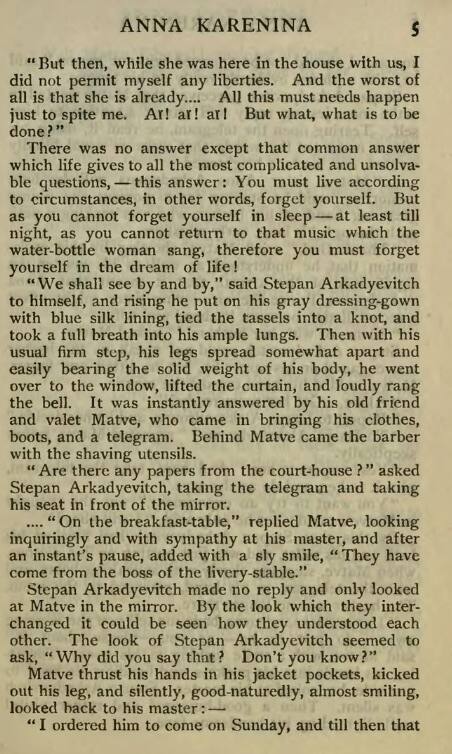
For demonstration purposes, we have taken the following photo of a library book page to showcase how its information can be collected and saved in a digital format in real-time.
Go for an Image to Text Converter
Now, it is time to explore the internet to find a reliable image-to-text converter. It uses OCR technology to scan and extract information from images, screenshots, and scanned documents in an editable format.
These tools are available in abundance online; you can pick and use any based on your personal preferences. We recommend going with the one that:
- Supports different languages: This is useful if you work with books or documents written in multiple languages.
- Offers batch processing: Batch processing functionality means the tool allows authors to upload multiple images at once for text extraction. This feature will come in handy when you have to collect information from multiple book pages.
- Accepts images in numerous formats: Try to find a tool that accepts images as input in diverse formats, i.e., PNG, JPG, JPEG, and others. This also helps determine its reliability and versatility.
Fortunately, we found that Prepostseo offers the features mentioned above and performed reliably during our testing. So, we'll use this tool to demonstrate the process.
Upload Photo and Start Conversion
Once you have picked the image to the text converter, simply upload the captured photo of the library book to it. Many converters available online offer multiple uploading options:
- Manual upload from local storage
- Drag-and-drop
- Copy-and-paste
After uploading the image, this is how the tool's interface now looks:
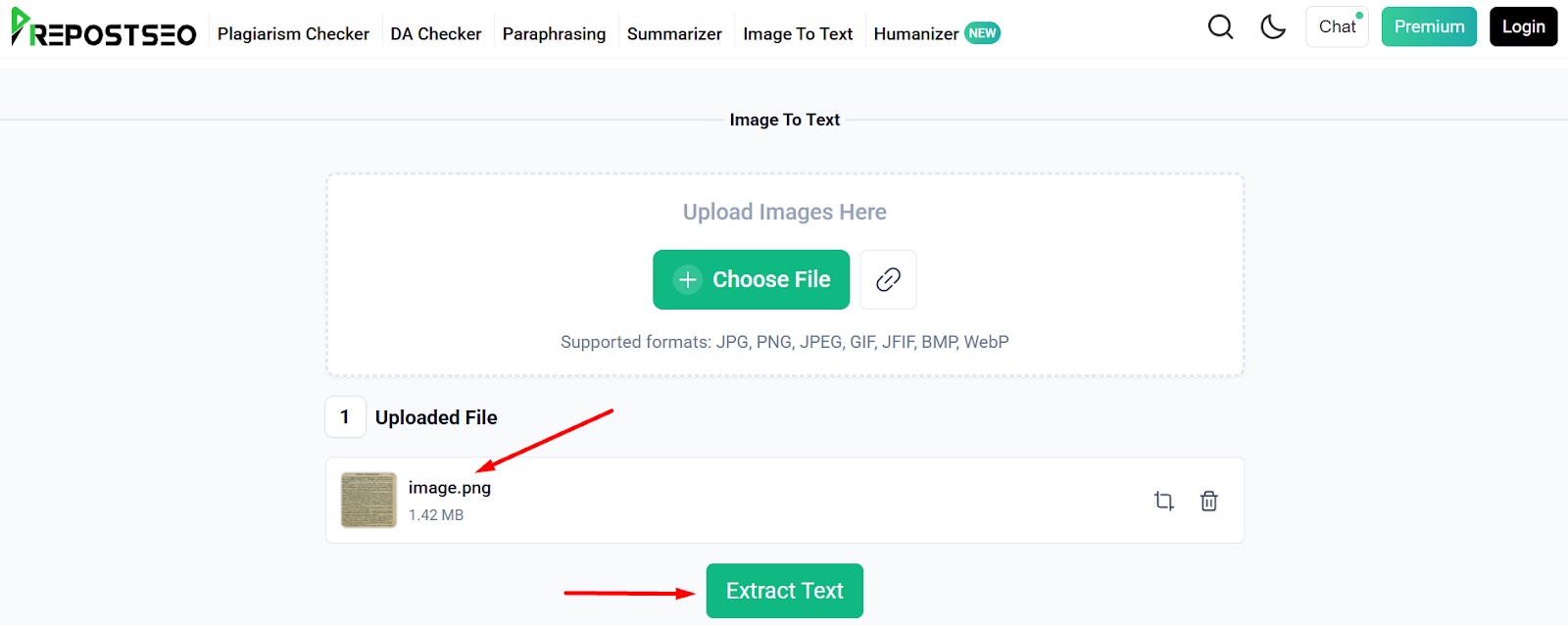
Click on the “Extract Text” button to kickstart the text extraction process from the uploaded image.
Review and Save Text in Digital Format
Within a matter of seconds, the image-to-text converter will extract the text from the uploaded photo and provide it in an editable format. As an author, you should carefully review the output to make sure it is accurate and error-free.
See the screenshot below as a reference.
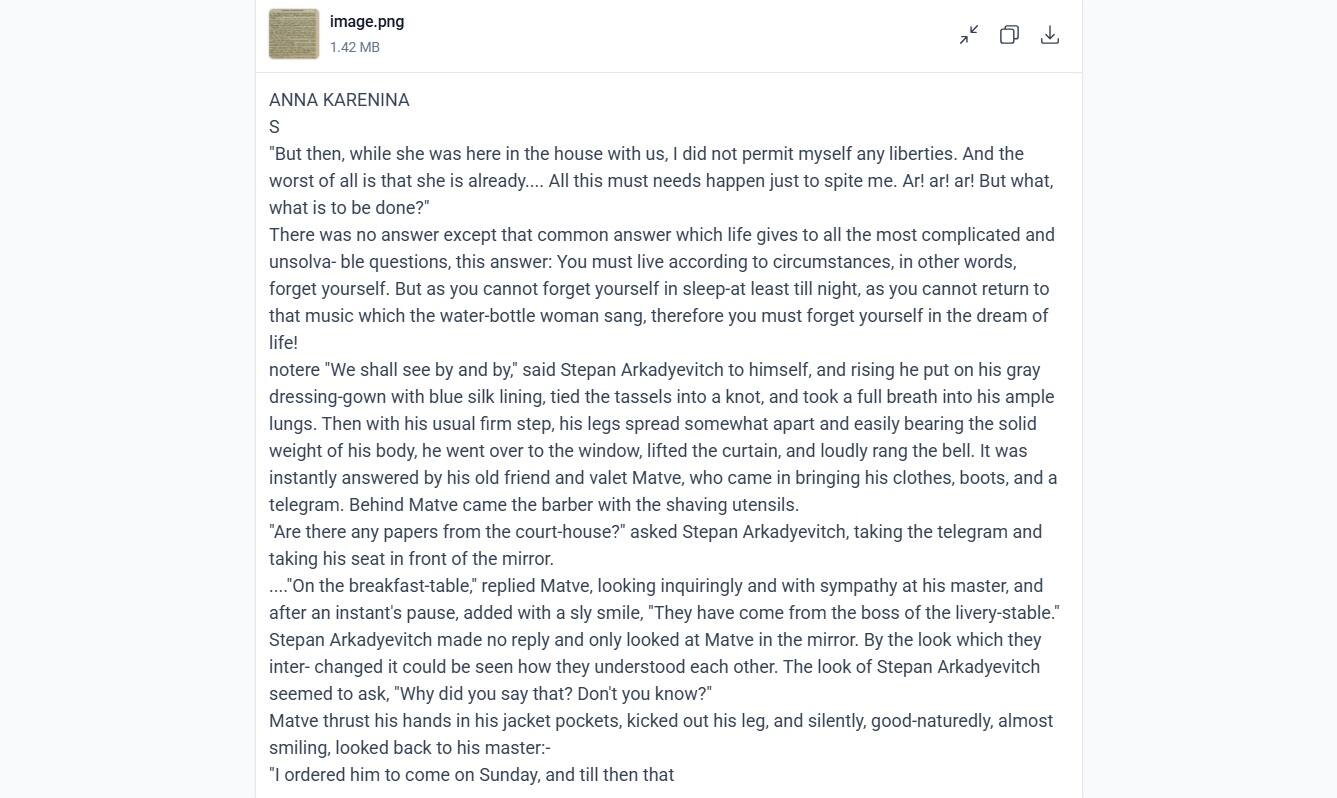
The tool will also offer the option to copy and download the extracted text for later use.
So, these are a few simple steps that authors should follow for collecting valuable information from library books in an editable and digital format.
Bottom Line
Now there is no need to spend valuable time and effort manually writing valuable information from old library books. This is because authors can utilize advanced OCR-powered images to text converters that automatically scan and extract all the text from photos in an editable format. So, your job is to take a clear photo of the book page, upload it to the image to a text converter, and get results in digital format.
In this blog post, we have explained all these steps in detail along with screenshots for a better understanding. Hopefully, you will find this blog genuine and useful!
About the author
Atif Shahzad is an SEO expert, content optimizer, and writer specialising in SaaS, AI tools, and digital marketing. He creates insightful, search-focused content that helps businesses improve visibility, understand emerging technologies, and make smarter decisions through practical strategies and well-researched insights.