Part of the How to Write a Book guide

Import the Manuscript You Already Wrote

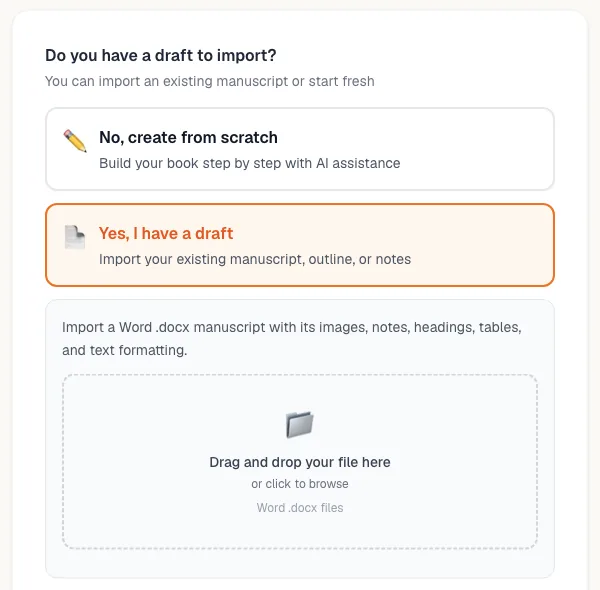
Upload a Word .docx and it comes back as a book: chapters split the way you wrote them, front and back matter where it belongs, footnotes and images intact, and the title, author, blurb, language, genre, outline and characters already filled in.

Import runs on a free account. Notes and characters cost nothing, and your first import of each book type is free until you buy anything.

Most writing tools treat an existing manuscript as an inconvenience. You paste it in, the headings collapse, the images vanish, and three months of structure becomes one undifferentiated column of text.

Manuscript import is the opposite bet. It reads a Word .docx the way an editor would — finding where chapters begin and end, which pages are front matter and which are back matter, where the footnotes hang, where the pictures sit — and then it shows you what it found before writing a single thing into your book. You approve the split, and the manuscript becomes a project you can keep working on.

What the Importer Detects

Detection happens on the document itself, not on a plain-text flattening of it. Everything below is found automatically and shown to you on the review screen before anything is saved.

Chapters
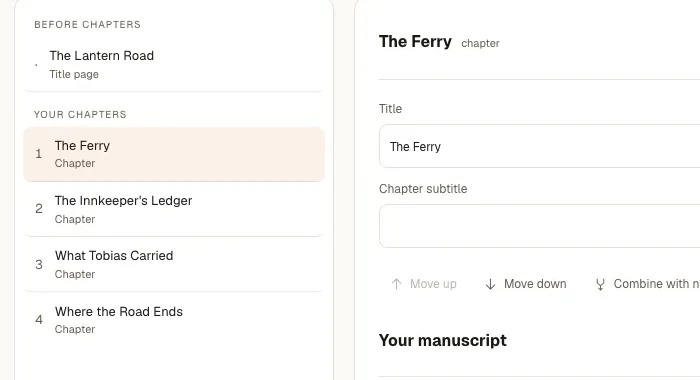
Where each chapter starts and stops, from the document's own headings and breaks. Up to fifty chapters, or 200,000 words, in a single file.
Front matter
Dedication, epigraph, foreword, preface, acknowledgements — kept as front matter instead of being mistaken for chapter one.
Back matter
Afterword, appendices, glossary, about-the-author — recognised as back matter and placed after the last chapter.
Title page
The title and the author line are read off the title page when the document has one, and used to name the book.
Footnotes
Footnotes and endnotes are carried across with the passages they belong to rather than dumped at the end of the file.
Images
Pictures embedded in the .docx land in the chapters they appear in, at no extra credit cost.
Rich formatting
Headings, bold, italic, tables and line breaks survive the move, always, with nothing to switch on.

What Gets Filled In For You

An import is not only chapters. What the document reveals about the book is written into the rest of the flow, so the project is set up rather than merely populated.

The book's identity

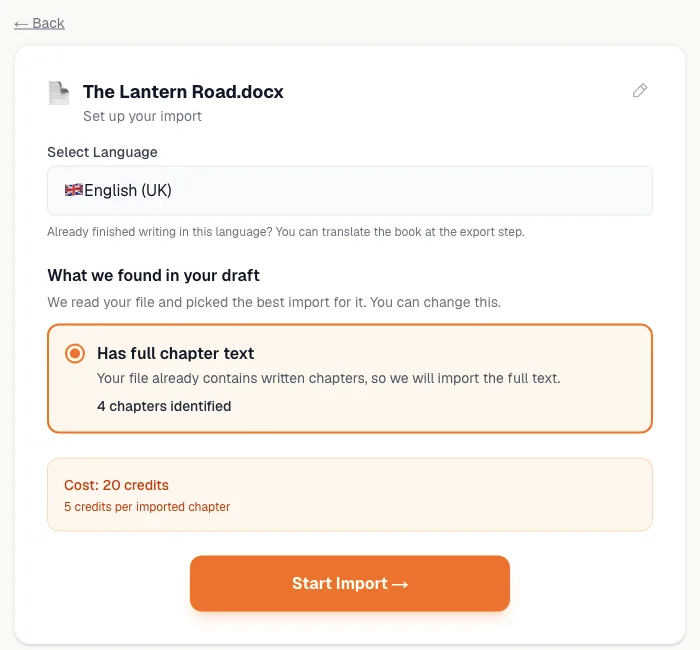
Title, author, blurb, language and genre details are all extracted. The language is detected across more than 25 languages, and the author is taken from the document when it names one and from your account when it does not.

The story bible and outline

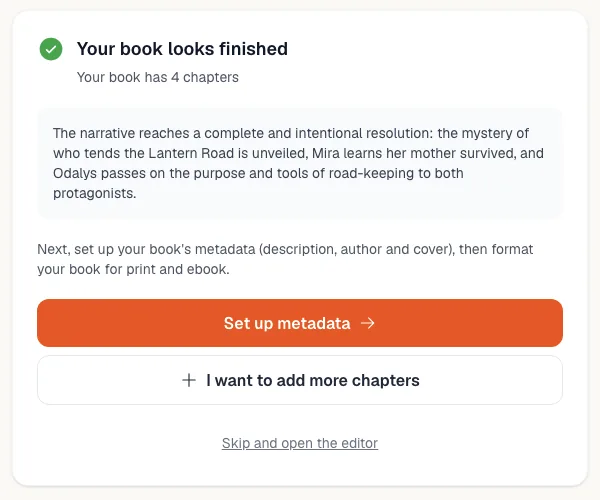
A chapter-by-chapter outline is built from what the manuscript actually contains — plot events, locations and turns for fiction; key topics and learning outcomes for non-fiction — so the planning step is not something you redo by hand.

The cast

Characters arrive as editable character sheets with names, backgrounds, motivations and arcs, whether you kept them in a separate section or only ever described them inside the prose.

How the Import Works

Three screens, and a quote you see before anything runs.

  1. 1

    Upload a Word .docx

    That is the only format the importer takes, because .docx is the format that carries structure, footnotes and embedded images. If your draft is a PDF, an EPUB, an RTF, a .txt file, a Google Doc or a Pages file, the upload screen walks you through saving it as .docx first — it takes about a minute.

  2. 2

    Review what it found

    Every detected section is listed: chapters, front matter, back matter, title page. If one section ran two chapters together, split it. If a chapter arrived in halves, merge them. If a section came out wrong, retry it. Nothing is written into the book until the split on screen is the one you want.

  3. 3

    Import and keep writing

    The details, characters, outline and chapters are written in as ordinary editable records. There is no imported-content mode and no read-only region: the imported chapters and the ones the AI writes next sit in the same list and behave identically.

Why This Is an Import, Not a Paste

Four things that follow from reading the document instead of its text.

You approve the structure

Chapter detection is a proposal, not a verdict. The review screen is where a manuscript with mixed numbering or a seven-part structure gets corrected by you, in seconds, instead of being silently imported wrong.

It runs on a free account

Import is not a paid feature. Notes, details, writing style and characters cost nothing at any time, and you are only asked to pay when the quote comes out above zero and your balance is short.

Priced by what you import

Chapter outlines are 3 credits per chapter and imported chapter text is 5 — 1 per chapter on your own OpenRouter key — with images and formatting included. A series import is 50 credits per book. The total is shown before the run.

Getting it wrong is free to fix

"Start over" clears everything an import created, and re-importing that book costs nothing, because you already paid for it. An existing book has its own import screen too, so a draft you dig up later still has somewhere to go.

What Comes In, and What Comes Out

A real shape of file, and the project it becomes.

The .docx you upload

novel-draft-v7.docx — a title page, a dedication, eleven chapters under mixed headings, two tables, nine embedded illustrations, footnotes on the historical passages, and an afterword.

The book you get

A book titled and authored from the title page, language detected, blurb and genre details written, dedication filed as front matter and the afterword as back matter, eleven chapters split as you confirmed on the review screen with their tables, images and footnotes intact, an eleven-entry outline, and the cast as editable character sheets.

Details, style and characters in that import cost nothing; the eleven chapters of text cost 5 credits each, and the outline 3 each. If it is your first fiction import and you have never bought anything, the whole run is free.

Import Questions, Answered

What writers ask before handing over a manuscript they care about.

Keep Exploring

What happens to a draft once it is in.

The Hard Part Is Already Done

A manuscript that survived years in a folder has already proved you care about it. Importing it is the step that turns that caring into a book you can actually finish, cover, export and publish — without retyping a word of what you already wrote.

Read the full how-to-write-a-book guide

Bring In the Book You Already Started

Upload the .docx, confirm the chapters on the review screen, and keep writing from where you actually are.

Free accounts can import. First import of each book type free until you buy anything.