

Free AI Comic Generator
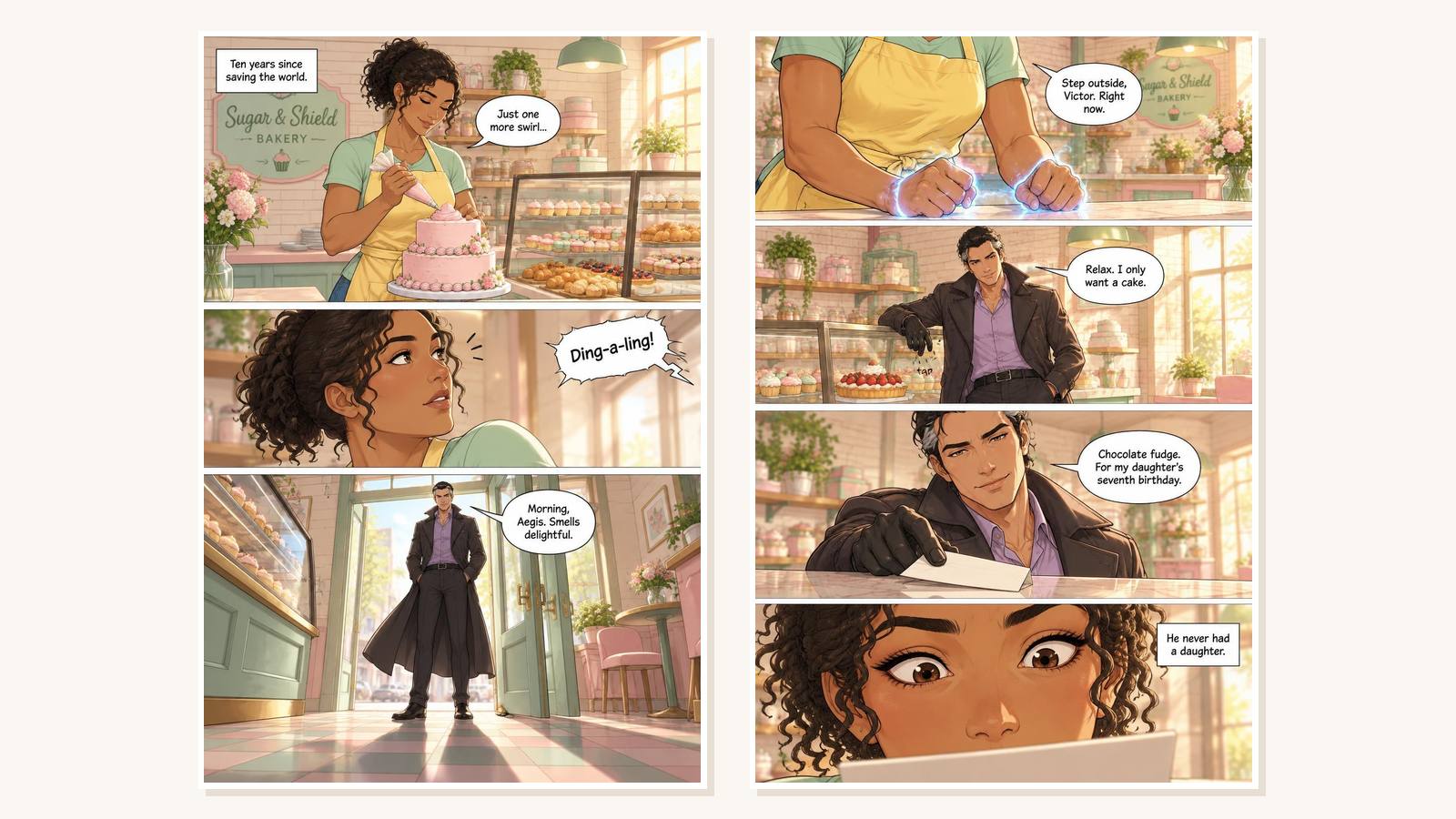
Describe a story idea, choose an art style, and get the first two pages of your comic, drawn and lettered, with the same characters on both pages.

How the AI comic generator works
The tool does what a small comic studio does on a first pitch: it writes a two-page script, locks the character designs, then draws and letters each page. If you would rather design your cast first, start with the character creator.
Describe your story
Write one to three sentences: who the hero is, what they want, and what goes wrong. A concrete twist beats a long synopsis. Stuck for an opener? The story starter generator gives you five.
Pick an art style
Choose webtoon, manga, superhero, ligne claire, kids cartoon, or noir. The style sets the line work, color palette, and shading on both pages.
Get two lettered pages
The AI writes a script with three or four panels per page, draws page 1, then draws page 2 using page 1 as its reference so faces and outfits match. Page 2 ends on a cliffhanger, ready for you to continue as a visual book.

Who uses a text-to-comic generator
Two pages is enough to find out whether an idea works on the page before you commit to a full comic. Here is who gets the most out of that test.
Writers testing a graphic novel idea
You have a premise and want to see it as panels, not prose. Generate two pages, check whether the hook lands visually, then build the rest of the book with the same cast.
Manga and webtoon fans
Try your story in the manga style first, then switch to webtoon and compare. For a full manga with chapters, the AI manga generator walks you through the whole book.

Parents and teachers
Turn a child's bedtime idea or a history lesson into a short comic in the kids cartoon style. When you want a full illustrated story, the picture book maker handles longer page counts.

Frequently asked questions
Yes. You can generate a two-page comic without signing up. Free generations are limited per hour so the tool stays fast for everyone. Signed-in users can generate more with credits from the app.
Two pages are enough to set up a hero and land a cliffhanger, and they come back in about a minute. Longer comics need page planning, a locked character sheet, and editing per page, which is what the visual books flow in AIWriteBook is built for.
The generator writes a fixed character sheet first and draws page 2 with page 1 as a visual reference, so faces, hair, and outfits stay consistent. Simple, distinctive designs, like a yellow raincoat or a scar over one eye, hold up best.
Put the lines you want in your story idea, in quotes, and the script will use them. Keep each line short: comic bubbles work best under ten words, and short lines are lettered more cleanly.
You own what you create and can download both pages. If you plan to publish a full comic, continue it as a visual book in AIWriteBook so every page shares one style and you can export a finished file.

Related tools & guides
Keep going with more free tools and in-depth guides
Visual Books
Build a full comic, manga, or picture book with one locked art style.
AI Manga Generator
Plan and draw a complete manga with consistent characters.
Character Creator
Design a detailed cast before you draw them.
Story Starter Generator
Get five opening paragraphs to build a comic around.
Picture Book Maker
Turn a story into an illustrated children's book.
Ready to write your full book?
Transform your ideas into complete books with AI-powered writing, cover design, and publishing tools.