

Three Sudowrite tutorials in and still no pages?
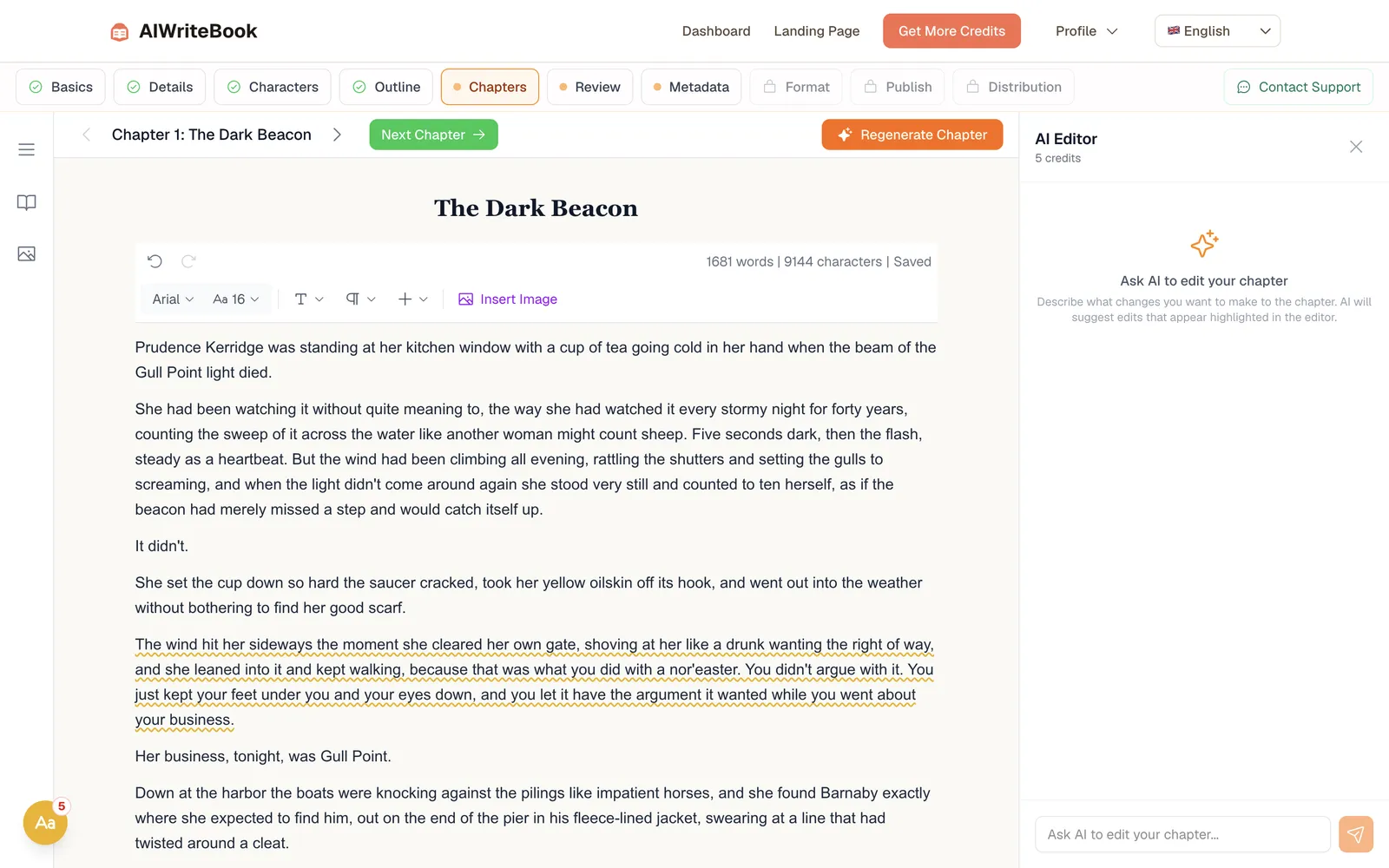
Skip the learning curve. Describe your book in a sentence, AIWriteBook turns it into an outline and a cast, and then writes chapter one from that outline. You have pages today, and you keep going until it is a book you can publish.
Sounds familiar?
Real words from writers who used Sudowrite.
Nor do I want to watch hour long YouTube tutorials.
Writer on r/WritingWithAI
I blew through all my monthly credits in 2 days.
Sudowrite user on r/WritingWithAI
Why did I even bother with a story bible? It was a TON of work to have ignored.
Sudowrite user on r/WritingWithAI
Two ways to spend the next month
Both start with an idea. Only one ends with files you can upload.
With Sudowrite
- Watch tutorials to learn the tools before you start
- Draft scene by scene, prompting as you go
- Move the draft to another tool to format it
With AIWriteBook
- Describe the book and get a full outline and cast, free
- Write each chapter from that outline and your style sample
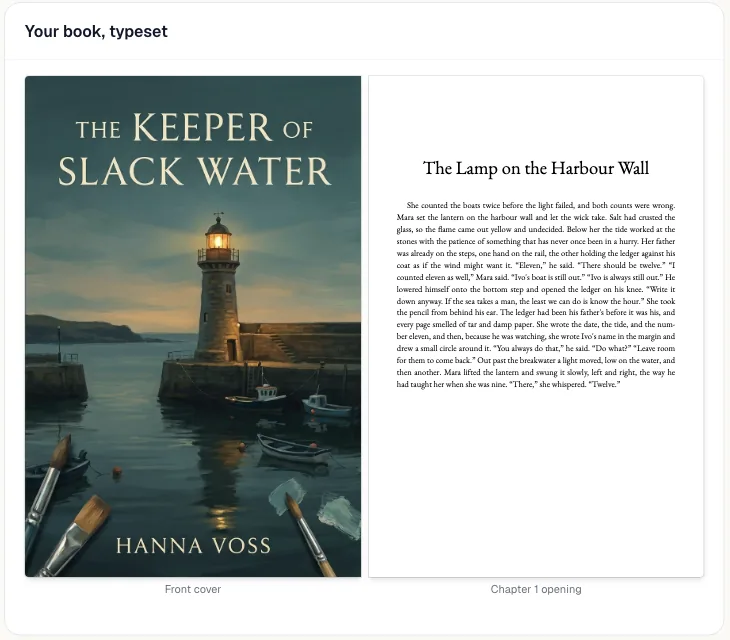
- Generate the print and ebook files in the Format step
- Print-ready PDF
- EPUB checked with EPUBCheck
- Wrap cover for KDP and IngramSpark
- DOCX for editors
Side by side
| What matters | Sudowrite | AIWriteBook |
|---|---|---|
| Built for | Help with prose while you type each scene | Planning, writing and publishing a whole book |
| Monthly price | $10, $22 or $44 a month | Free to start, then plans from $12/mo |
| Without a subscription | Monthly or yearly plans | One-time packs: 250 credits for $20 |
| Your existing draft | Import into a project | .docx import up to 200,000 words, characters and notes free |
| Finished files | Your draft text | Print PDF, EPUB, wrap cover and DOCX (Format step on Pro) |
Sudowrite prices from sudowrite.com/pricing, October 2026.
Writers who switched
I was able to generate my first chapter for free, which gave me the opportunity to explore how the software works before making a purchase. I was immediately impressed and quickly realized: this is the software I want to use.
Worried about switching?
- Do I have to learn a lot before I write?
- No. Describe the book, review the outline and characters it gives you, and write chapter one. Three steps, and every one of them is on the screen in front of you.
- Will it still sound like me?
- Paste a few paragraphs of your own writing on the Details step and every chapter is written in that style. The AI Editor shows each change as a highlight you accept or reject, so nothing enters your book without you.
- What happens to the draft I already have?
- Import it as a .docx file of up to 200,000 words. Your characters and notes come in free, and the first import is free until you buy anything.
- Will the AI actually follow my story bible?
- Each chapter is written from your outline and character cards. You can edit both at any time, and the Story Bible sidebar keeps them beside the text while you work.
- What does it cost?
- Your outline and first chapter are free, so you judge the writing before you pay anything. After that, plans start at $12/mo, or buy a one-time pack of 250 credits for $20 with no subscription.
Where Sudowrite is better
We would rather you pick the right tool than the wrong one.
- Sentence-level prose tools for writers who type their own scenes and want help mid-paragraph.
- A lower entry price: $10 a month on the Hobby & Student plan.
- Credits on its Max plan roll over for 12 months. Ours refresh each month.
Who should stay
Stay with Sudowrite if you want a co-writer at your elbow while you draft line by line. Switch if what you want is the finished book.
Switch in three steps
The first step takes two minutes and costs nothing.
Bring your draft, or just an idea
Save your Sudowrite chapters as one Word file, or describe the book in a sentence.
Get your outline and characters
Review the plan, change anything, and paste a sample of your writing.
Write chapter one free
Read it, accept or reject edits, then decide whether to keep going.
Questions writers ask
Is AIWriteBook a good Sudowrite alternative?
Yes, if your goal is a finished book. Sudowrite is strongest as a prose assistant while you draft. AIWriteBook takes you from idea to outline, chapters, cover and print-ready files in one place.
How does the price compare with Sudowrite?
Sudowrite costs $10, $22 or $44 a month. AIWriteBook is free to start with your outline and first chapter, plans start at $12/mo billed yearly, and one-time packs start at $20 for 250 credits.
Can I import my Sudowrite manuscript?
Yes. Put your chapters into one .docx file of up to 200,000 words and import it. Characters and notes are extracted free.
Can I publish to Amazon KDP from AIWriteBook?
Yes. The Format step on Pro gives you a print-ready PDF and a KDP wrap cover, plus an EPUB and a DOCX. You upload them to KDP yourself.
Can I make an audiobook or translate my book?
On Pro you can turn your book into an audiobook with 25 voices and translate it into any of 37 languages.
Get your first pages today, free
Plan, write and edit your first chapter free.
- Outline and first chapter free
- Print PDF, EPUB, wrap cover and DOCX from one Generate
- 25 audiobook voices
- Write in 37 languages
- One-time credit packs from $20, no subscription