

Your book is still a Type.ai document?
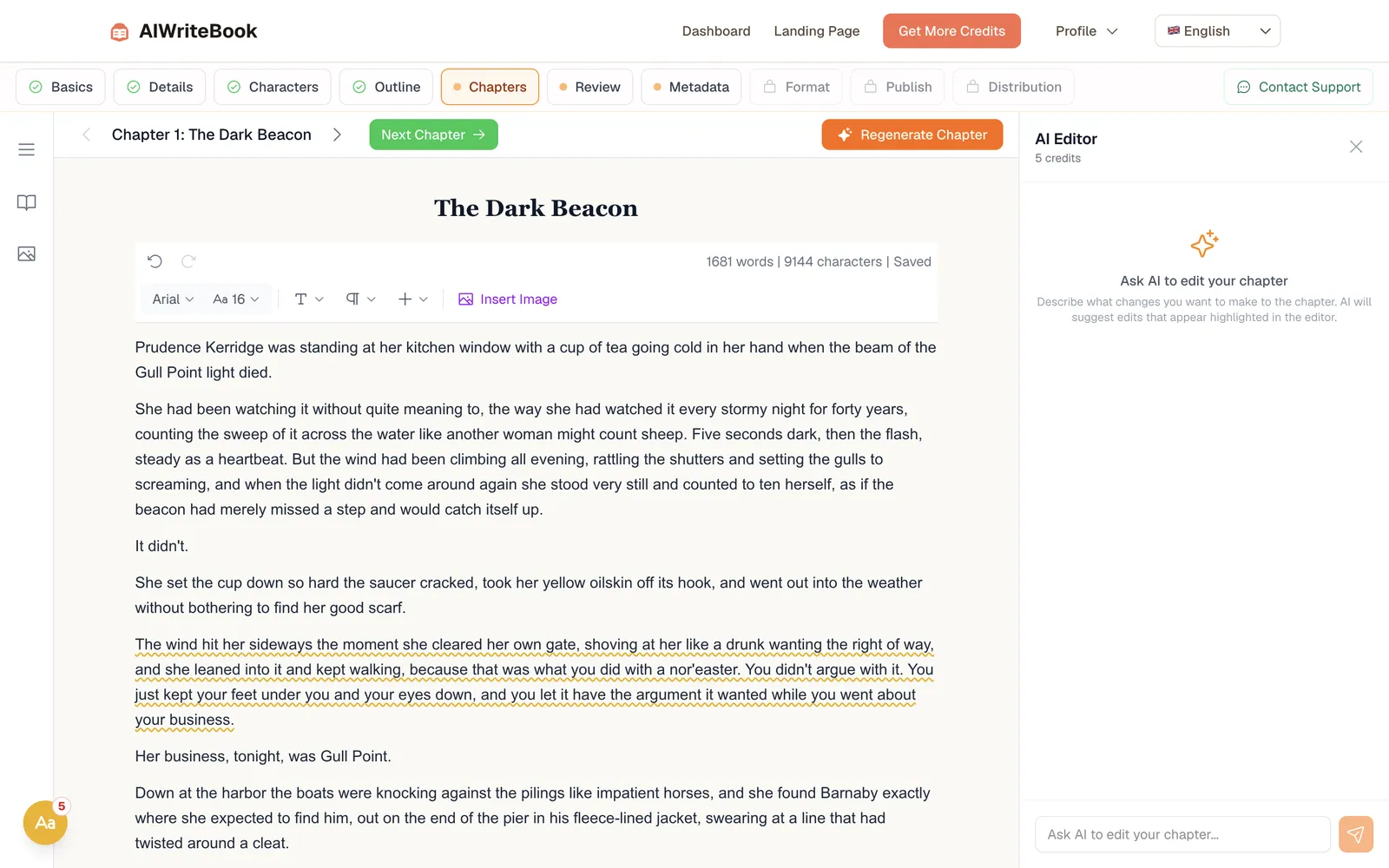
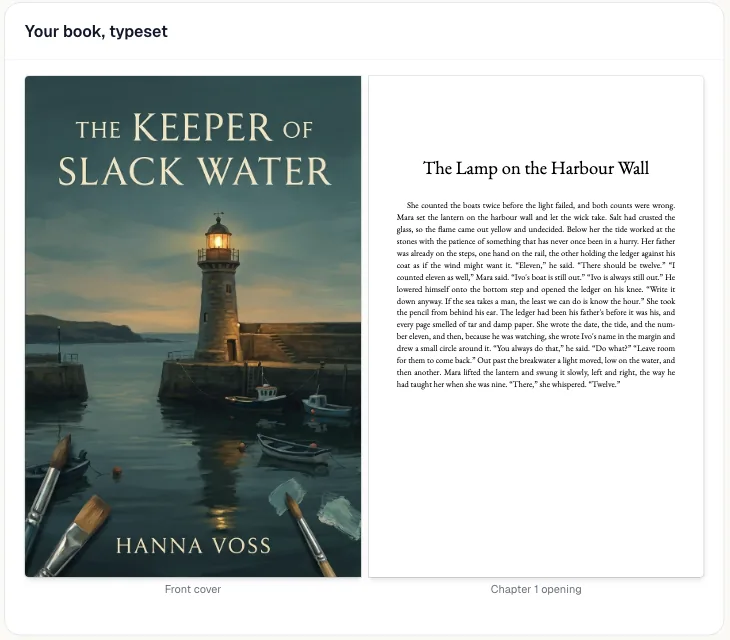
A great editor leaves you with a great file. AIWriteBook takes your manuscript the rest of the way: whole-book edits you accept one by one, a cover, and print and ebook files you can upload to KDP.
Two ways to finish this book
Both help you write. Only one ends with files a store will accept.
With Type.ai
- Write and polish in a document with an AI beside you
- Export a DOCX or PDF
- Find another tool for the cover, EPUB and print layout
With AIWriteBook
- Import your manuscript or plan a new book, free
- Run the Book Editor and accept the edits you want
- Generate the cover, print and ebook files in the Format step
- Print-ready PDF
- EPUB checked with EPUBCheck
- Wrap cover for KDP and IngramSpark
- DOCX for editors
Side by side
| What matters | Type.ai | AIWriteBook |
|---|---|---|
| Built for | Writing and editing inside a document | Planning, writing, editing and publishing a whole book |
| Manuscript size | Up to 150,000 words per document | .docx import up to 200,000 words |
| Story memory | Story memory and custom writing rules | Character cards, outline and a Story Bible sidebar |
| Audio | Narrated audio export | Audiobook with 25 voices and multi-voice casting (Pro) |
| Finished files | DOCX, PDF or a view-only link | Print PDF, EPUB, wrap cover and DOCX (Format step on Pro) |
Type.ai details from type.ai and type.ai/pricing, October 2026.
Worried about switching?
- Is it going to be too complicated?
- Import your Word file and you land in an editor with your chapters. Use the Book Editor and the Format step when you need them and ignore the rest.
- Will it flatten my voice?
- Paste a few paragraphs of your own writing on the Details step and new chapters follow that style. Every edit shows as a highlight you accept or reject, so nothing changes without you.
- Will it actually apply my edits?
- The Book Editor reads your whole manuscript, scores it on 30 criteria, writes an editorial letter and proposes line edits you accept one by one.
- What happens to the draft I already have?
- Export it from Type.ai as DOCX and import it here, up to 200,000 words with formatting and images kept. The first import is free until you buy anything.
Where Type.ai is better
We would rather you pick the right tool than the wrong one.
- A lower price if all you need is an editor: $8, $16 or $64 a month billed yearly.
- One simple editing surface, with offline mode and version history.
- Inline chat-and-edit on your own text is its whole design.
- A 30-day money-back guarantee on the first subscription.
Who should stay
Stay with Type.ai if you only want an AI editor next to your own draft. Switch when you want that draft to become a published book.
Switch in three steps
The first step takes two minutes and costs nothing.
Export your Type.ai draft
Download it as a DOCX, or start a new book from a one-line idea.
Import it and set your style
Your chapters, characters and notes come in, and you add a sample of your writing.
Edit, then format
Accept the edits you like, then generate your cover, EPUB and print PDF.
Questions writers ask
Is AIWriteBook a good Type.ai alternative?
Yes, if your goal is a published book rather than a polished document. Type.ai is an editor for your draft. AIWriteBook adds whole-book editing, covers and the print and ebook files stores accept.
How does the price compare with Type.ai?
Type.ai costs $8, $16 or $64 a month billed yearly. AIWriteBook is free to start with your outline and first chapter, plans start at $12/mo billed yearly, and one-time packs start at $20 for 250 credits.
Can I import my Type.ai manuscript?
Yes. Export it as DOCX and import it, up to 200,000 words. Characters and notes are extracted free.
Can I publish to Amazon KDP from AIWriteBook?
Yes. The Format step on Pro gives you a print-ready PDF and a KDP wrap cover, plus an EPUB checked with EPUBCheck and a DOCX. You upload them to KDP yourself.
Can I make an audiobook or translate my book?
On Pro you can turn your book into an audiobook with 25 voices and translate it into any of 37 languages.
Turn your draft into a book
Plan, write and edit your first chapter free.
- Outline and first chapter free
- Print PDF, EPUB, wrap cover and DOCX from one Generate
- 25 audiobook voices
- Write in 37 languages
- One-time credit packs from $20, no subscription