

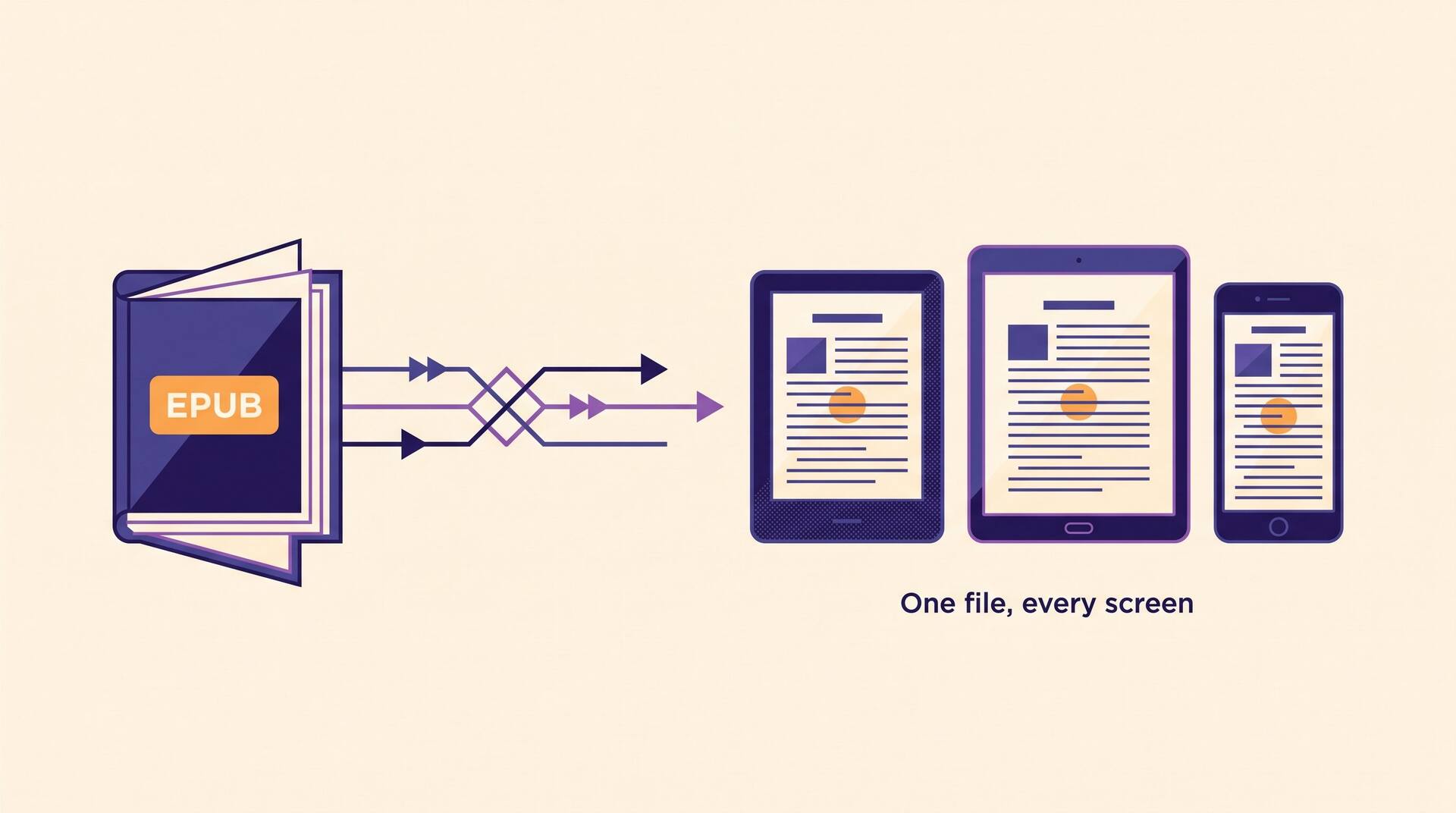
The four numbers worth remembering
EPUB 3
The current version. EPUB 3.3 became a W3C Recommendation in 2023 and is what stores expect today.
ZIP
An .epub is an ordinary ZIP container. Rename it to .zip and you can open it and read every file inside.
650 MB
KDP's maximum ebook file size. Almost every book that hits it is carrying uncompressed images.
2021
The year Amazon stopped accepting MOBI uploads. EPUB replaced it as the format you send to KDP.
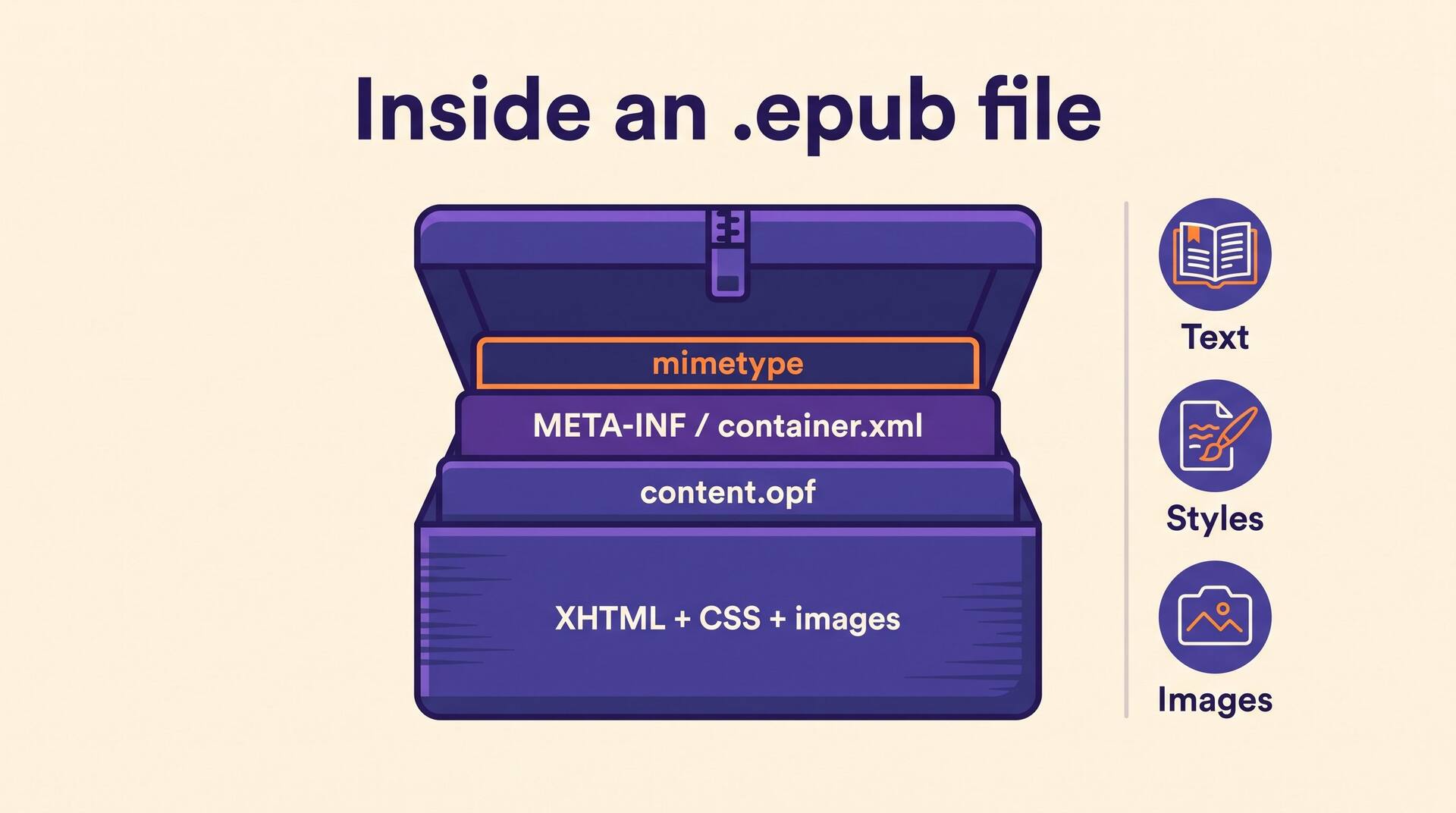
What is actually inside an .epub file
Understanding the anatomy pays off the first time a store rejects your upload, because the error message will name one of these parts.
mimetype
A tiny plain-text file, stored uncompressed and first in the archive, that declares application/epub+zip. Get its position or compression wrong and validators reject the whole book.
META-INF/container.xml
The pointer. It tells a reading system where to find the package document, which is the only reason the reader knows where your book begins.
The package document (.opf)
The book's brain: metadata (title, author, language, identifier), a manifest of every file included, and the spine, which is the reading order of your chapters.
The navigation document
An XHTML file that carries the table of contents readers tap through. In EPUB 3 this replaced the old NCX file that EPUB 2 used.
Content and assets
One XHTML file per chapter, plus your stylesheet, images and any embedded fonts. This is where your actual writing lives.
Two flavors exist. Reflowable EPUB lets the reader change font, size and margins, and it is what you want for novels and most non-fiction. Fixed-layout EPUB pins every element to a page, which is right for children's picture books, cookbooks and comics and wrong for anything else.
EPUB vs MOBI vs KFX vs PDF
The formats writers confuse most often are not competing standards so much as different eras and different jobs.
| Format | What it is | Use it when |
|---|---|---|
| EPUB | Open W3C standard, reflowable or fixed-layout | Always, for every store. This is the file you upload and the file you keep. |
| MOBI | Amazon's retired legacy format, based on the old Mobipocket standard | Never for new uploads. KDP stopped accepting it in 2021. |
| KFX / AZW | Amazon's internal delivery formats, generated from your EPUB after upload | Never directly. You do not create these; Amazon does. |
| Fixed pages, no reflow, no adjustable type | Print interiors and review copies, not ebook retail listings. |
How EPUB shows up in KDP
In the Kindle Direct Publishing ebook flow, EPUB is the format Amazon asks for. You upload the .epub, the previewer converts it, and what your reader downloads is Amazon's own KFX file built from yours. That conversion is exactly why a clean source file matters: KDP inherits your structure, so a missing chapter heading in the EPUB becomes a missing entry in the Kindle table of contents.
Amazon is not the fussiest destination, either. Apple Books, Kobo, Google Play Books and Barnes & Noble Press all take EPUB directly, and several of them run stricter validation than KDP does. If your file passes EPUBCheck, the free validator maintained by the DAISY Consortium, it will almost certainly clear all of them. If you are still deciding how to lay the book out before you export, our guide to formatting a book for KDP covers margins, headings and front matter in order.
This is the step where most first-time authors lose a weekend. AIWriteBook exports a publish-ready EPUB straight from your manuscript, with the chapter spine, navigation and metadata already assembled, so there is no hand-editing of XHTML and no wrestling with a desktop formatter. You can see the whole path from draft to uploadable file on the AI ebook creator page.
One more thing EPUB makes cheap: reaching readers who do not read in English. Because the format is a container of text rather than a fixed page image, a translated edition is a new export, not a new layout job. Running the manuscript through whole-book translation and exporting a second EPUB is how a single title ends up on the German and Spanish stores.
Where writers get tripped up
"EPUB is an Amazon thing."
It is the opposite. EPUB is an open standard, which is precisely why it works everywhere. Amazon adopted it late, after retiring its own MOBI format.
"I'll just upload the PDF."
KDP will accept a lot of things, but a PDF ebook cannot reflow. Readers cannot change the font size, and on a phone the page becomes an unreadable postage stamp. Reserve PDF for the print interior.
"Fixed-layout looks nicer, so I'll use it."
Fixed-layout freezes your design and disables the accessibility features readers rely on. Unless the images are the book, choose reflowable.
"The file is huge but it's fine."
On the 70% royalty option Amazon charges a delivery fee per megabyte, deducted from every sale. Full-resolution images inside an EPUB quietly tax you forever; resize them before you export.
Related terms
Terms that come up in the same corner of the publishing dashboard:
EPUB questions authors actually ask
Short answers to the ones that come up before the first upload.
Yes. Apple Books opens .epub natively on Mac and iPhone, Microsoft Edge and Google Play Books open them on Windows and Android, and the free Calibre app reads and inspects them on any desktop. To see the raw contents, copy the file, rename the copy from .epub to .zip and unzip it.
The comparison is settled rather than close. MOBI is retired: Amazon stopped accepting it for new uploads in 2021 and Send to Kindle now takes EPUB instead. There is no scenario in 2026 where you should produce a MOBI file for publication.
No. Upload the EPUB to KDP and Amazon converts it to its own internal format automatically. Converting it yourself first usually makes things worse, because each extra conversion is another chance to break your table of contents or your styling.
Run it through EPUBCheck, the free open-source validator, or upload it to KDP and open the online previewer, which flags structural problems before you publish. Check the table of contents, the first page of each chapter and the cover; those three catch most real-world errors.
EPUB is the least glamorous and most useful thing you will learn about publishing: one open file that every store on earth agrees to read. Get it right once and the rest of the upload is paperwork. For the whole sequence from manuscript to live listing, see our complete Amazon KDP guide.