


What you'll learn
Most indie authors leave half their potential category placement on the table because they treat category selection as an afterthought. The authors hitting bestseller status in 2026 treat it as a precision exercise: research, test, refine. The actual mechanics changed significantly when Amazon raised the category limit to 10 per book in 2023, and the strategy has evolved since. This guide gives you the working playbook.
How Amazon Book Categories Actually Work
Amazon uses categories for three things, all of which matter for your book's discoverability.
Browse Path Visibility
Categories control where your book appears when readers browse the Kindle Store. A romance reader browsing 'Contemporary Romance' will only see books in that exact subcategory. The deeper and more specific the category, the more targeted the audience reaching your book.
Bestseller List Eligibility
Each category has its own bestseller list. The orange 'Best Seller' tag on Amazon comes from being #1 in any category you are listed in. Smaller categories require fewer sales to hit #1, which is why category research is essential for the bestseller flag.
Algorithmic Recommendations
Amazon's also-bought algorithm uses categories to find similar books. Books in the same category are more likely to appear in 'customers who bought this also bought' carousels. Wrong category = wrong recommendations = wrong audience.
BISAC Codes vs Browse Categories
Amazon uses BISAC codes (industry-standard classifications) when you upload, but maps them to its own browse categories internally. Sometimes a BISAC selection puts you in three browse categories at once. Understanding both layers matters for optimal placement.
The 10-Category Limit and How to Use It
Amazon allows up to 10 categories per book. Most authors use 2 or 3. Using all 10 strategically multiplies your visibility without diluting your message.
Match the Reader Journey
Categories should match how readers describe what they want. A reader looking for 'cozy mystery with a bookshop setting' would search through 'Mysteries > Cozy', 'Women Sleuths', and 'Amateur Sleuths'. Be everywhere your reader looks.
Mix Hot and Cold Categories
Hot categories give you traffic but rarely give you the bestseller flag. Cold categories give you the flag but less traffic. Mix 5-7 hot categories for visibility with 2-3 carefully selected cold ones for bestseller status.
Use Both Fiction and Non-Genre Categories
A historical romance might also fit Women's Fiction, Sagas, and Cultural Heritage Fiction. Crossing into adjacent categories captures readers who do not normally browse pure romance but would buy your book.
Avoid Category Repetition
Putting your book in 'Romance > Contemporary' and 'Romance > Contemporary > Romantic Comedy' wastes a slot. Each category should serve a distinct discoverability purpose.
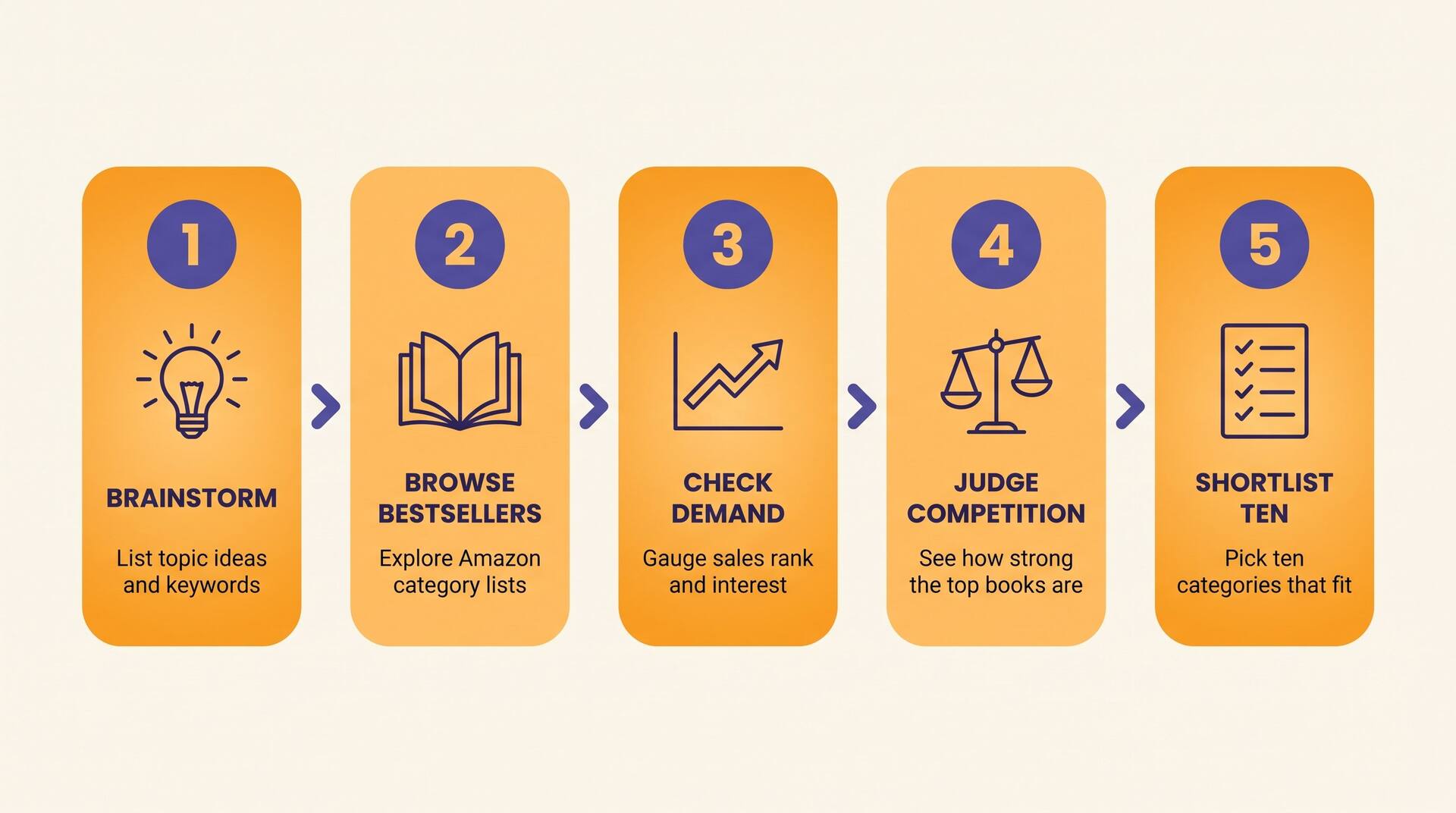
Researching Low-Competition Categories
The goal is finding categories where your book can realistically rank in the top 100 — and ideally top 10 — based on conservative sales projections.
Find Comparable Books
List 5-10 indie books that are similar to yours in genre, length, and quality. These are your competitive set. Look at their categories on Amazon. Click through to verify they actually appear there in the browse path.
Check the Top 100 Sales Range
Look at the Amazon Best Sellers Rank (ABSR) of the #1 and #100 books in each candidate category. If the #100 book has an ABSR of 50,000, you need ~10 sales/day to compete. If the #100 has ABSR of 500,000, you need ~1 sale/day.
Test Reader Match
Read the top 10 book descriptions in each category. Does your book genuinely fit alongside them? A great category that does not match reader expectation produces high traffic and high refund rates.
Cross-Reference Reviews
Check what readers say about top books in the category. Are they comparing them to books like yours? Mentioning tropes you also use? Reviews validate fit better than descriptions do.
Estimate Sales-to-Rank Conversion
Use a tool like KDPRocket, Publisher Rocket, or sales-to-rank conversion charts. Rank 1,000 typically equals 50-100 sales/day on the Kindle store. Rank 100,000 equals 1-3 sales/day. Match your realistic sales pace to the rank you need.
How to Read the Amazon Best Sellers Rank
The ABSR is your primary signal for category competition. Understanding it correctly separates strategic authors from guessers.
Lower ABSR = More Sales
ABSR works backwards from intuition. ABSR of 100 means the book is the 100th best-selling on the Kindle store, selling roughly 100-300 copies per day. ABSR of 1,000,000 means it sells maybe 1 copy per month.
ABSR Updates Hourly, Not Real-Time
Amazon recalculates ABSR every hour. A new release might appear with rank 0 for several hours, then drop to its actual rank as the algorithm catches up. Do not panic at temporary ranking spikes.
Category Rank vs Overall ABSR
A book ranked #1,500 overall might be #1 in a small subcategory. The category-specific rank determines your bestseller flag, not the global ABSR. Track both.
Sales-to-Rank Curves Differ by Genre
Romance and mystery have steeper curves: a small drop in sales causes a big rank drop. Literary fiction has gentler curves: rank changes more slowly with sales. Your genre's curve affects how aggressive your launch needs to be.
Find Low-Competition Categories Automatically
AIWriteBook analyzes thousands of KDP categories and surfaces the ones where your book can realistically hit #1. Skip the manual ABSR research.
Building Your Multi-Category Strategy
A real multi-category strategy fits a thoughtful pattern. Here is the framework professional indie authors use.
Primary Genre, Most Specific Subcategories
Your three deepest, most reader-targeted subcategories. These are where your ideal reader actually browses.
Adjacent Genre Categories
Categories where your book genuinely fits but readers might not search first. A romantic suspense gets slots in pure romance and pure thriller categories.
Trope or Theme Categories
Cross-genre categories built around reader interests: 'Time Travel Romance', 'Forbidden Love', 'Office Romance'. Often less competitive than pure genre subcategories.
Bestseller-Targeted Cold Categories
Smaller, less-competitive categories where your book can realistically hit #1. The bestseller flag transfers across the listing — earning it in any category benefits you globally.
Format-Specific Category
If applicable, a category specific to your format: 'Short Reads', 'Anthologies', 'Series Starters'. Catches readers filtering by structure.
Bestseller Potential by Category Type
Different categories require radically different sales velocities to hit #1. Here are realistic numbers for the bestseller flag in 2026.
Easy
3-10 sales/day
Niche cold subcategories: very specific tropes, regional fiction, specialized non-fiction subgenres. Reachable for most launched books with proper promotion.
Changing Categories After Launch
Categories are not permanent. Adjusting them post-launch is a powerful tactic most authors never use.
When to Re-Evaluate
Three months after launch, check actual category performance. Categories that drove zero visibility should be replaced. Categories where you almost hit #1 should be doubled down on with promo to push you over the line.
How to Request Category Changes
Use KDP's 'Update Book Details' or contact KDP support directly via the help portal. Specify the exact path: Books > Genre > Subgenre > Sub-subgenre. Support can place you in deeper categories than the upload form allows.
Seasonal Category Swaps
A romance might sit in 'Contemporary Romance' year-round but swap one slot to 'Christmas Romance' in November-January. Capture seasonal demand without abandoning your base.
Trend-Riding Without Misrepresenting
If your book has a 'BookTok Made Me Buy It' connection, get into trending categories like 'New Adult Romance' when they spike. Only do this if your book genuinely fits — false-positive placement triggers refund spikes and review bombs.
Real-World Category Case Studies
Cozy Mystery Hits #1 Bestseller in 6 Categories
Author launched a cozy mystery with 9 categories selected via KDP support. Used $200 in Facebook ads + ARC team to drive ~50 sales over launch week. Hit #1 in 6 of 9 categories due to careful low-competition selection. ABSR peaked at 4,200 overall.
Lesson
The categories were the strategy. Same launch with default categories would have hit zero #1 spots.
Sci-Fi Author Lost 70% of Visibility from Wrong Category
Author published space opera but selected 'Hard Science Fiction' as primary category. Sales were 3x lower than their previous comparable release. Switched to 'Space Opera' and 'Adventure Science Fiction' after 60 days. Sales 2.1x previous post-launch baseline.
Lesson
A wrong primary category does not just reduce sales — it actively misrepresents the book to the wrong audience, generating refunds and bad reviews.
Self-Help Series Compounded Bestseller Status
Three-book self-help series. Each book targeted a slightly different sub-discipline (productivity, habits, focus). Each landed in 4-7 #1 positions across overlapping categories. Cross-promotion between books in similar categories drove series-level acceleration.
Lesson
Series-aware category strategy beats per-book optimization. Plan categories at the series level when possible.
Pre-Launch Category Checklist
Tick each before clicking publish on KDP
Category Selection Mistakes to Avoid
Picking Empty Categories Just to Hit #1
A bestseller flag in a category with 12 books total signals nothing to readers and the algorithm. Bestseller status only matters when the category has genuine reader traffic.
Misrepresenting Genre for Volume
Stuffing a literary novel into 'Action & Adventure' to chase volume produces refunds, 1-star reviews, and account warnings. Match real genre, not aspirational genre.
Set It and Forget It
Categories that worked at launch may underperform six months later as competition shifts. Quarterly reviews maintain your placement quality.
Ignoring KDP Support Capabilities
KDP's upload form shows fewer categories than KDP support can place you in. Authors who only use the upload form miss the deeper, often less competitive subcategories.
Confusing BISAC with Browse Categories
Browse categories drive Amazon discovery. BISAC codes drive bookstore distribution. Optimize for browse first if you are KDP-focused; BISAC matters less unless you are also distributing wide.
Categories Are a Strategy, Not a Setting
Most indie authors treat category selection as a one-line checkbox and wonder why their book never gets traction. The authors who outperform their writing quality with their marketing all share one habit: they treat category selection as a deliberate, research-backed exercise that they revisit after launch.
Your book deserves to find its readers. Categories are the dominant lever for making that happen on Amazon. Spend the hour researching them. Use the full 10 slots. Re-evaluate quarterly. The compounding visibility from getting this right outlasts the work it takes.