

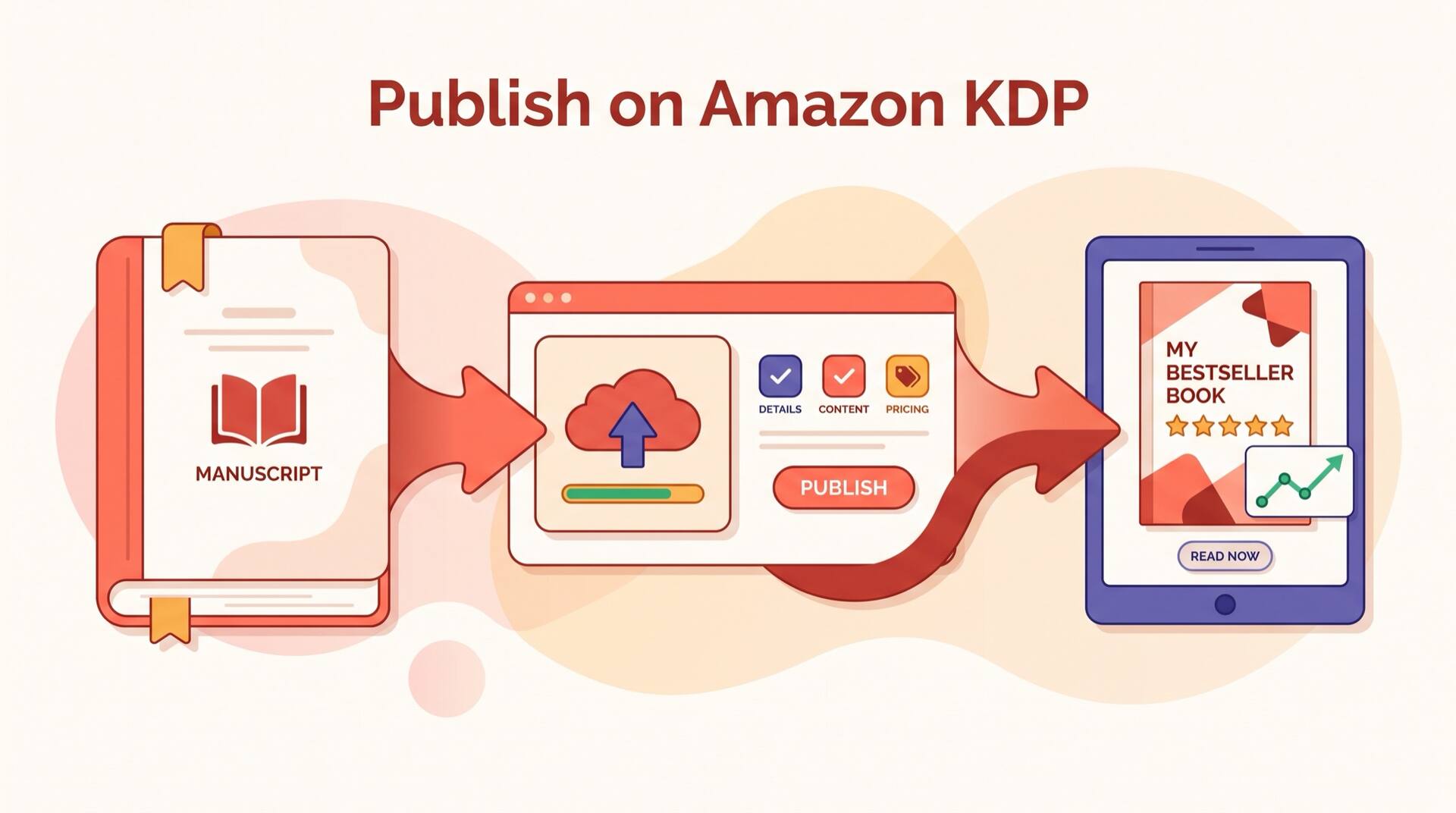
Amazon Kindle Direct Publishing (KDP) has transformed the book industry. Over 40% of all eBook revenue on Amazon now comes from indie authors who self-publish through KDP. Whether you're publishing your first novel or your fifteenth nonfiction title, KDP gives you direct access to millions of readers worldwide with royalties up to 70%. This guide walks you through every step of the process — from creating your account to marketing your book after launch.
2026 KDP Updates
Amazon updated its KDP dashboard and content guidelines in early 2026. This guide reflects the latest interface, AI-content disclosure requirements, and expanded advertising options. If you're returning to KDP after a break, read through the account setup section to see what's changed.
Table of Contents
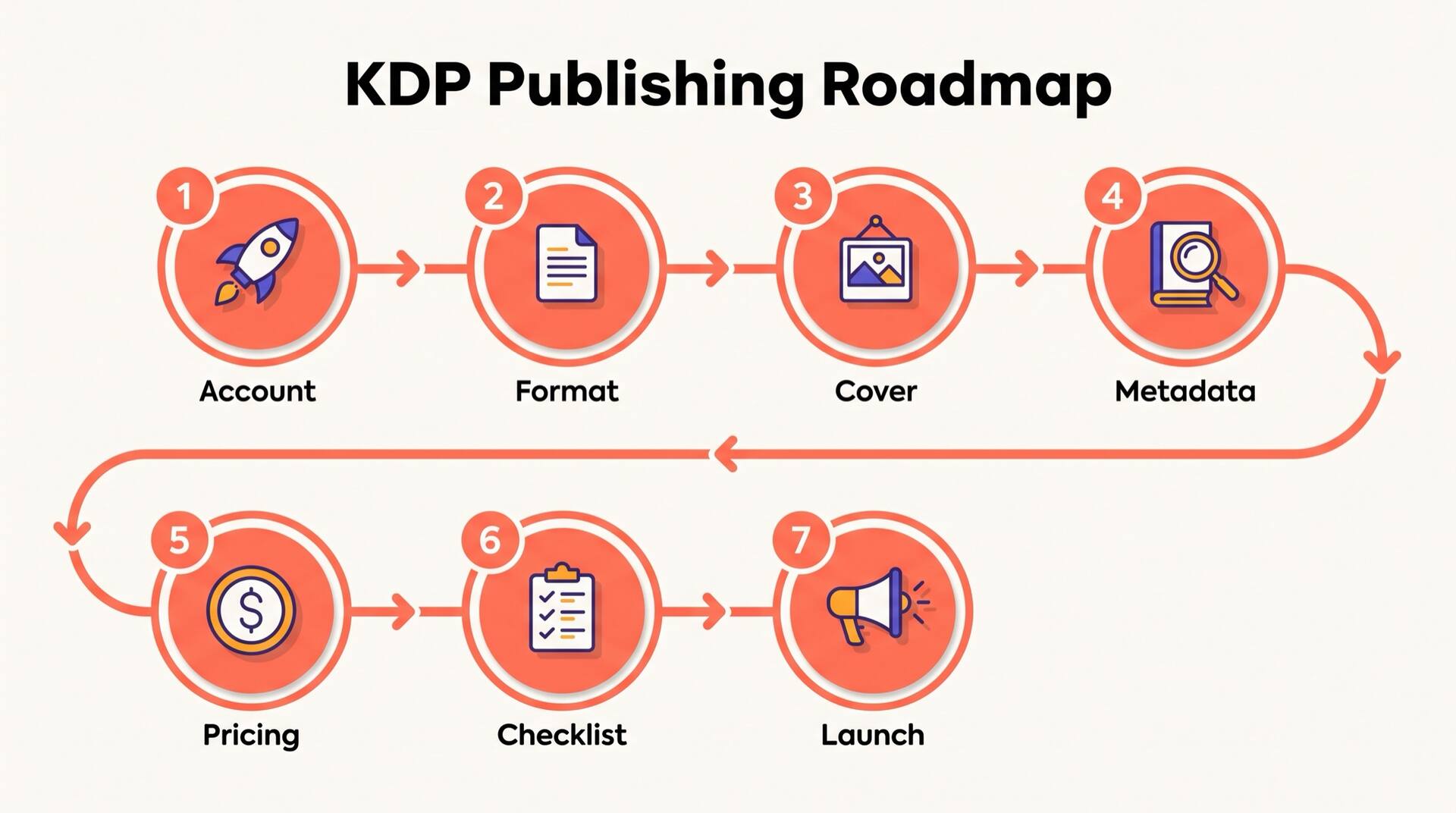
1. KDP Account Setup
Setting up your KDP account correctly from the start saves headaches later — especially around tax information and payment routing.
Create Your Amazon Account
Go to kdp.amazon.com and sign in with your existing Amazon account or create a new one. Use a dedicated email for your publishing business if you plan to publish multiple books. This keeps your publishing correspondence separate from personal shopping notifications.
Complete Tax Information
Navigate to your account settings and complete the tax interview. US-based publishers need an EIN or SSN. International publishers need to complete the W-8BEN form. Getting this right prevents payment holds — Amazon won't pay royalties until tax information is verified.
Set Up Bank Details
Add your bank account for royalty deposits. KDP pays monthly, approximately 60 days after the end of each reporting month. You can set separate bank accounts for different marketplaces (US, UK, EU, etc.) or route everything to one account. Consider using Payoneer or Wise if your local bank has high international transfer fees.
Author Profile
Set up your Author Central profile at author.amazon.com. Add a professional bio, author photo, and links to your website or social media. This profile appears on your book's Amazon page and builds reader trust. You can claim your books and track sales rankings here too.
2. Manuscript Preparation & Formatting
KDP accepts multiple formats, but the quality of your formatting directly impacts how your book looks on Kindle devices and in print. Poor formatting is the number one reason readers leave negative reviews on otherwise good books.
Accepted Formats
The preferred format for Kindle eBooks. Reflowable text adapts to any screen size. Use Kindle Create (free from Amazon) or Calibre to convert your Word document to EPUB with proper chapter breaks, table of contents, and formatting.
KDP accepts Word documents directly, but the conversion can introduce formatting issues. If you upload DOCX, always preview thoroughly using KDP's online previewer before publishing.
Kindle Package Format, created exclusively through Kindle Create. This gives you the most control over layout, especially for books with images, poetry, or complex formatting.
For paperback and hardcover editions, upload a print-ready PDF with proper trim size, bleed settings, and embedded fonts. PDF is not accepted for eBook editions.
Tip: Use Kindle Create for eBooks and a tool like Atticus, Vellum (Mac only), or Adobe InDesign for print formatting. These tools handle trim sizes, gutters, and page numbering automatically.
3. Cover Requirements & Specs
Your cover is your book's most important marketing asset. It's the first thing readers see, and on Amazon, it needs to work as a tiny thumbnail just as well as at full size.
eBook Cover Specifications
Print Cover Specifications
Tip: Use KDP's Cover Calculator tool to generate a template with exact spine width for your page count. Hire a professional designer on 99designs, Reedsy, or Fiverr — a good cover costs $200-500 and pays for itself many times over in sales.
4. Metadata & Keyword Optimization
Metadata is how Amazon's algorithm discovers and recommends your book. This is where most indie authors leave money on the table — optimizing your metadata can double or triple your organic visibility.
Book Title & Subtitle
Your main title should be compelling and memorable. Your subtitle is prime keyword real estate — include your primary keyword naturally. For example: 'The Quiet Shore: A Small-Town Romance Novel' weaves in genre keywords that readers search for.
Book Description
You get 4,000 characters for your description. Amazon allows basic HTML formatting (bold, italic, line breaks). Structure it like a sales page: hook the reader in the first two sentences, describe what they'll get, add social proof if available, and end with a call to action. Front-load your primary keywords in the first 200 characters since that's what shows above the fold.
7 Backend Keywords
KDP gives you seven keyword slots of up to 50 characters each. Don't repeat words from your title or subtitle — Amazon already indexes those. Use these slots for synonyms, related terms, audience descriptors, and comparison keywords. For example: 'beach read summer fiction', 'books like Colleen Hoover', 'gift for mom book lovers'. Research competitor keywords using Publisher Rocket or the Amazon search bar autocomplete.
BISAC Categories
Choose up to three browse categories. Pick the most specific subcategory that fits — it's easier to rank #1 in 'Fiction > Small Town & Rural' than in 'Fiction > Romance'. After publishing, you can contact KDP support to add up to 10 total categories. Check bestseller lists in your target categories — if the top books are completely unrelated to yours, that category isn't right.
5. Pricing Strategy: 35% vs 70% Royalty
KDP offers two royalty tiers, and choosing the right one can significantly impact your earnings. The optimal strategy depends on your book length, genre, and marketing goals.
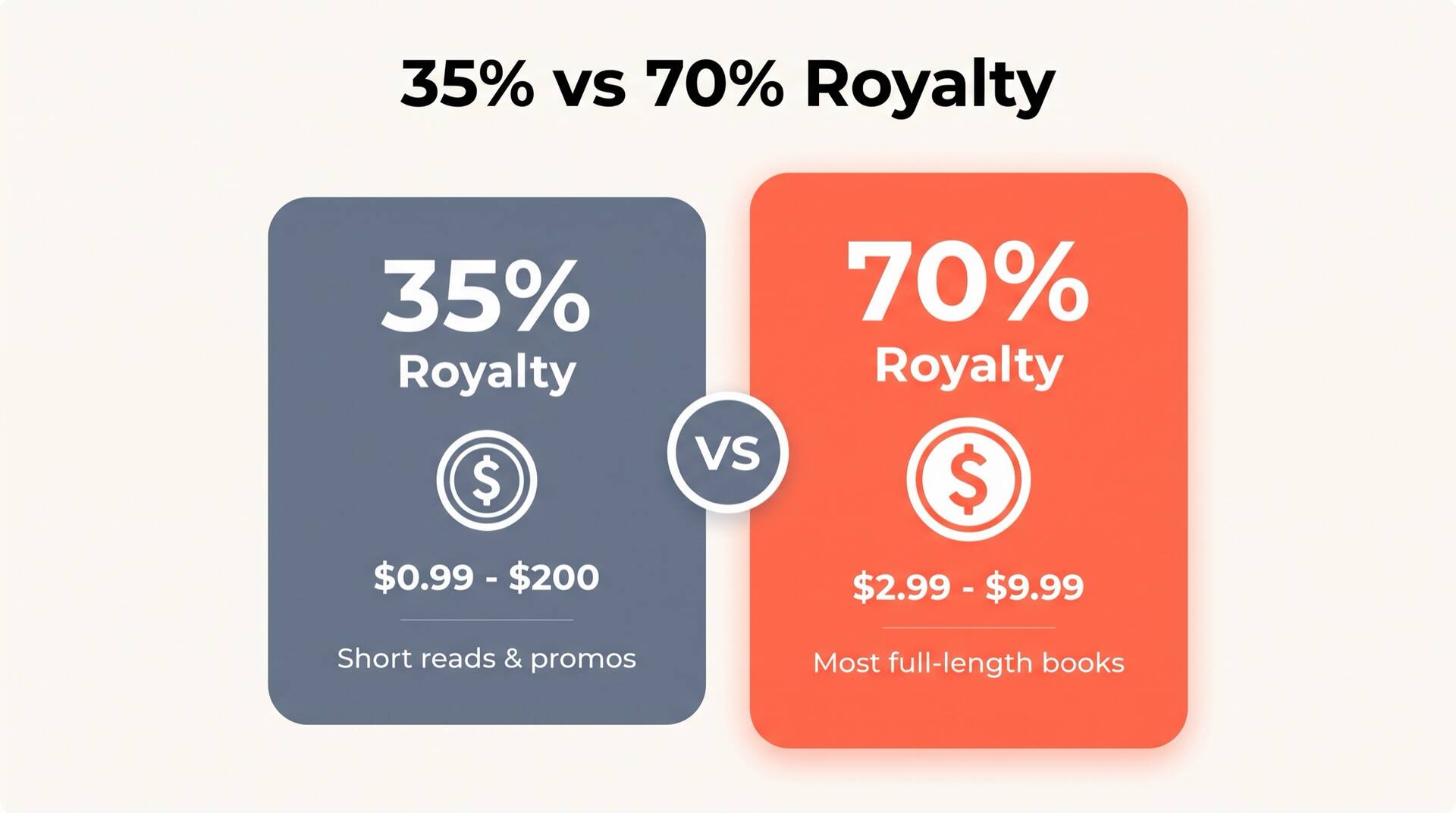
70% Royalty Plan
$2.99 – $9.99
- Only available in select marketplaces (US, UK, DE, FR, ES, IT, NL, JP, BR, MX, CA, IN, AU)
- Delivery cost deducted ($0.15/MB for US — approximately $0.10-0.30 per book)
- Price must be at least 20% below print list price
- Best for: most full-length books, where volume and margins both matter
At $4.99 you earn approximately $3.35 per sale after delivery costs
Pricing Sweet Spots by Genre
| Genre | Price Range |
|---|---|
| Fiction (Novel) | $3.99 – $5.99 |
| Nonfiction | $5.99 – $9.99 |
| Short Reads (<100 pages) | $0.99 – $2.99 |
| Box Sets / Collections | $6.99 – $9.99 |
KDP Select & Kindle Unlimited
Enrolling in KDP Select gives your eBook exclusivity on Amazon for 90-day terms in exchange for inclusion in Kindle Unlimited (KU). KU readers borrow your book for free, and you earn based on pages read (roughly $0.004-0.005 per page in 2026). For genre fiction with engaged audiences, KU can double or triple your total earnings. For nonfiction or books with potential for wide distribution (Apple Books, Kobo, etc.), going wide may earn more long-term.
Let AI Handle the Heavy Lifting
AIWriteBook helps you go from idea to publish-ready manuscript. Generate outlines, draft chapters, and format for KDP — all in one platform.
6. KDP Launch Readiness Checklist
Before you hit publish, walk through every item on this checklist. Missing even one step can delay your launch or hurt your book's first impression.
7. Post-Launch Marketing
Publishing is just the beginning. The authors who succeed on KDP treat launch day as the start of their marketing efforts, not the end.
Amazon Advertising (AMS)
Start with Sponsored Products campaigns targeting keywords related to your book's genre and comparable titles. Begin with a $5-10/day budget and let the data guide your optimization. Focus on automatic campaigns first to discover which keywords convert, then create manual campaigns around your top performers. Target ACoS (Advertising Cost of Sales) of 30-50% for a new book — profitability often comes from read-through to subsequent books in a series.
Build Your Email List
Include a reader magnet (free bonus content) in the back of your book with a link to join your mailing list. This is the single most valuable marketing asset for an indie author. Even 200 engaged email subscribers can generate 50+ launch-day sales and reviews for your next book. Use services like BookFunnel to deliver your reader magnet and MailerLite or ConvertKit for email management.
Reviews Strategy
Reviews are social proof that drive conversions. Aim for 20-50 reviews in your first month. Send ARCs to your email list and beta readers 2-4 weeks before launch. After launch, include a gentle review request at the end of your book. If that ARC list has been sitting untouched for a year, run it through a free email checker before you send. Dead addresses hurt your deliverability, so a chunk of the team you counted on never sees the ask at all. A launch team is still a team, and the authors who keep one going past a single release borrow the same habits any small team runs on — a shared roster, one owner per task, a reminder cadence — which is exactly what the HR tools built for coordinating people are designed to handle. Never pay for reviews or trade reviews with other authors — Amazon detects and removes these. Goodreads giveaways and BookSirens are legitimate review-generation strategies.
Social Media & Content Marketing
Focus on one or two platforms where your readers hang out. BookTok (TikTok), Bookstagram (Instagram), and Facebook reader groups are the top three for most genres. Share behind-the-scenes content, character art, excerpts, and reading recommendations. Consistency matters more than virality — post three to five times per week and engage with your community.
Price Promotions
Periodic price drops to $0.99 or free (through KDP Select's free promotion days) combined with promotion sites like BookBub, Freebooksy, and Robin Reads can generate thousands of downloads. The ranking boost often sustains higher organic sales for weeks after the promotion ends. Plan one major promotion per quarter.
Pro Tip: The most successful KDP authors publish consistently. One book is a lottery ticket. Five books in a series with read-through is a business. Focus on writing your next book while marketing your current one.
Your KDP Publishing Roadmap
Publishing on Amazon KDP is more accessible than ever, but accessibility doesn't mean easy. The authors who succeed treat self-publishing as a professional endeavor — they invest in editing and cover design, they learn keyword optimization, and they commit to marketing their work. The steps in this guide give you the complete framework to publish with confidence.
Start with one book. Get it right. Learn from the data Amazon gives you — which keywords drive impressions, which ads convert, which categories fit your work. Then apply those lessons to your next book. Every title you publish builds on the one before it, creating a compounding catalog that generates passive income for years to come.