


In this guide
Checked against both platforms in November 2026
The short answer
Yes, if you write romance, romantasy, fantasy, horror, thrillers or anything where readers ask "how dark is it?" before they buy. StoryGraph users search by exactly that.
Not a priority, if you write practical non-fiction or low-content books. Readers there do log non-fiction, but nobody filters a budgeting guide by mood.
Never instead of Goodreads and your Amazon page. StoryGraph is an extra shelf, not a replacement storefront.
The work is small because there is so little to do. StoryGraph has no author program in 2026, so "adding it" means making sure your book exists there with the right data, giving readers a reason to log it, and publishing the content information you would rather write yourself than leave to strangers.
What changes for an author
Most comparisons of StoryGraph vs Goodreads are written for readers switching apps. From the author's chair, the questions are different: what can I control, what can I pay for, and where does reader opinion get recorded?
| Author question | StoryGraph | Goodreads |
|---|---|---|
| Claim an author profile | Not available. Authors use the app as ordinary readers. | Yes, through the Goodreads Author Program, with a badge on your profile. |
| Fix your book's data | No author dashboard. Missing editions can be added by readers; corrections go through StoryGraph's support contact. | Through the author dashboard and volunteer librarians. |
| Giveaways | None. | Paid giveaway packages, open to US members only. |
| Paid advertising | None. | Limited; most author promotion there runs through giveaways. |
| How a book gets described | Reader-logged moods, pace, and answers like plot- or character-driven, shown as charts. | Star ratings, written reviews and reader-made shelves. |
| Content warnings | A dedicated section on the book page, built from reader reviews; authors have had their own lists shown as coming from the author. | Only if a reviewer mentions them in text. |
| Ratings | Quarter stars, so a 3.75 means something. | Whole stars only. |
| Ownership | Independent, founded by Nadia Odunayo in 2019. | Owned by Amazon since 2013. |
If you still need to set up the Goodreads side, our walkthrough of the Goodreads Author Program covers claiming the profile and what is worth your time there.
The pattern in that table is the whole strategy. On Goodreads you act through tools. On StoryGraph you act through readers, because readers are the only ones who can write anything onto your book's page.
What a browsing reader sees
Open a book on StoryGraph and the first block below the blurb is not reviews. It is a summary of how readers felt: the top moods (adventurous, dark, emotional, funny, hopeful, tense and the rest), a pace verdict of slow, medium or fast, and percentage bars for questions like "plot- or character-driven?" and "loveable characters?". Content warnings sit in their own section, split into graphic, moderate and minor.
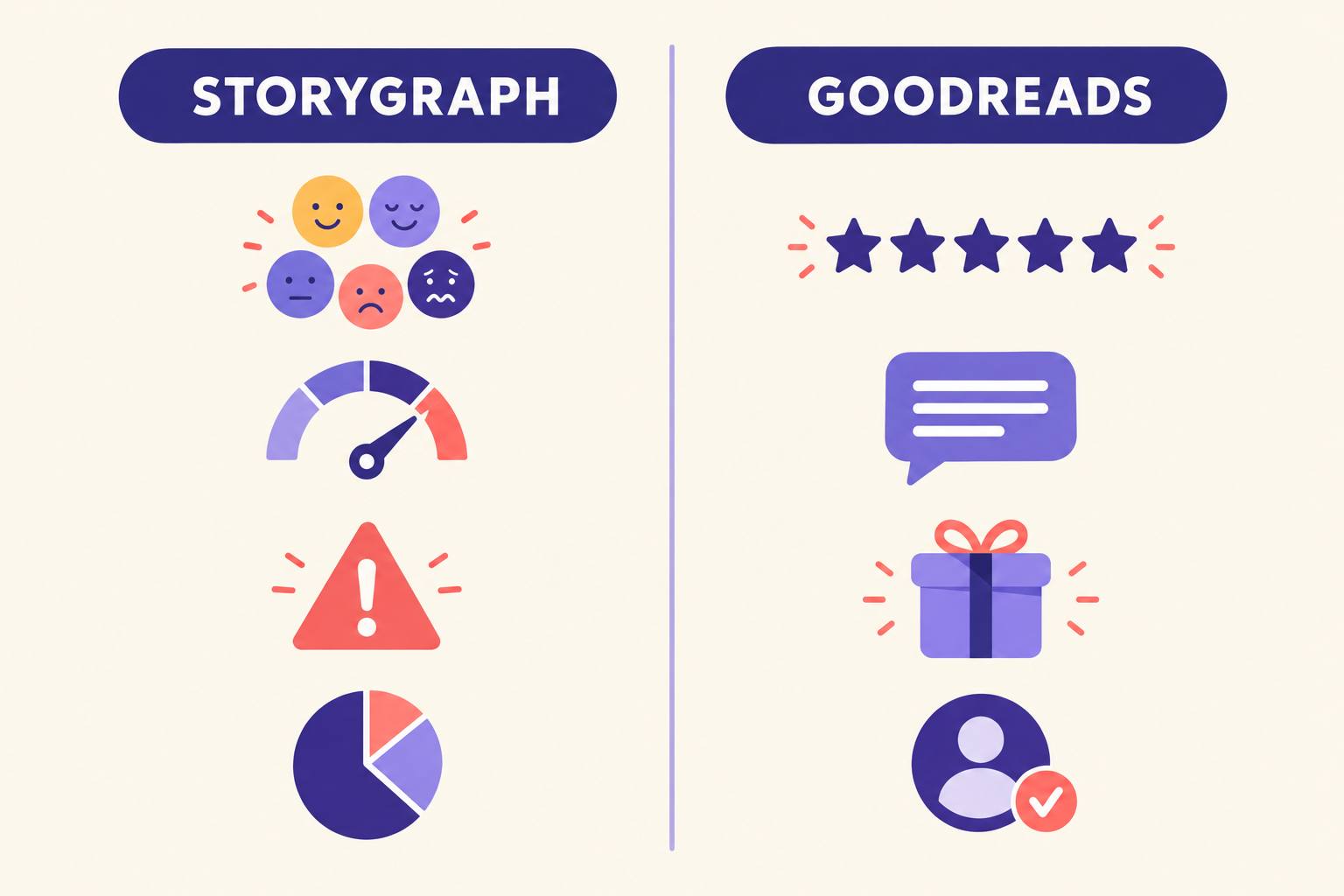
That changes what sells. A Goodreads browser reads your star average and a few angry reviews. A StoryGraph browser checks whether your book matches the evening they want: "emotional, medium pace, character-driven, no animal death". A three-star book can win that match against a four-star book that logs as "slow, informative".
It also means your book is invisible to mood searches until enough readers have logged it. A title with two reviews has no meaningful mood chart, and readers learn to skip those.
A 20-minute setup
Do this once per book, ideally before launch week so your earliest readers land on a page that already looks complete.
- 1
Search your title and ISBN
Check that every format you sell (ebook, paperback, audiobook) appears, with the right cover and page count. StoryGraph imports most data from catalog sources, so self-published books with a fresh ISBN sometimes lag. If an edition is missing, add it through the app's add-a-book flow or ask a reader to.
- 2
Write your content warnings yourself
List them plainly, graphic first, then moderate, then minor. Put that list where readers can find it, then contact StoryGraph support with it so the book page can show it. Readers who check warnings trust the author's list more than a stranger's guess, and they are more likely to buy when they find it.
- 3
Give it a permanent home
Your warnings list needs one public address you control, so add it to your book's blurb or bio wherever you sell. If you write with AIWriteBook, the author page gives every book its own page with cover, blurb and a free first chapter, and collects the emails of readers who want the next one.
- 4
Brief your early readers
ARC readers decide your first mood chart. Ask them to log the book on whichever app they use, and on StoryGraph to fill in moods and pace, not just stars. The free review request generator drafts the ARC invite; add the line from the template below.
- 5
Add one line to your back matter
Readers finish the book on the last page, not on your website. A single sentence there inviting them to rate it on Goodreads or StoryGraph covers both camps. The back matter generator writes the rest of those closing pages.
Write the next one with your readers in mind
AIWriteBook takes you from idea to a finished, formatted book, then gives it an author page where your blurb, links and content warnings live.
Read the mood chart like market research
Here is the use most authors miss. Thirty days after launch, open your book's StoryGraph page and compare the top three moods with your blurb and cover. The chart is a free, unprompted survey of what readers actually experienced.
Worked example
The cozy mystery that wasn't
- Blurb promised:
- "a cozy, small-town whodunit with a found family of misfits"
- Readers logged:
- dark 61%, tense 54%, mysterious 48%, pace fast, character-driven 72%
- What to change:
- The book is fine; the packaging is wrong. Cozy readers bounce and leave lukewarm stars, while the people who would love it never see it. Reposition it as a small-town suspense novel, rewrite the blurb around the threat instead of the tea shop, and move the KDP keywords from cozy to suspense terms.
The figures in that example are illustrative, but the pattern is common. When the chart and your blurb disagree, rewriting the blurb is usually cheaper than rewriting the book. The blurb generator gives you fresh drafts to test, and the KDP keyword research tool checks whether the new angle has search demand on Amazon.
The same reading works on Goodreads shelves, just more slowly: if readers file you under "dark-romance" when you marketed sweet romance, you have the same mismatch.
Copy-ready reader asks
Three short texts, written for the three places where a reader is most willing to log a book. Swap in your details.
Tap a box to select its text, then copy.
In the ARC invite
If you track your reading on StoryGraph, please log the book there too and tick the moods and pace. Readers search by those, so your two minutes help the right people find it.
Last page of the book
Thank you for reading. If you use Goodreads or StoryGraph, a rating there (even one line) helps other readers decide whether this book is for them.
Content warnings block
Content warnings for [Title]
Graphic: [one or two items]
Moderate: [items]
Minor: [items]
The full list with chapter notes is on my author page.
Mistakes that backfire
Rating your own book
With no author badge, a five-star rating from you looks like any other reader's, until someone notices the name. It also adds noise to the mood data you want to read later.
Arguing with a mood tag
If readers log your romance as "sad", that is a finding, not an attack. Replying in reviews is worse on StoryGraph than on Goodreads, because you have no author status to explain why you are there.
Hiding the content warnings
Readers who check warnings will find them anyway, from a stranger who may get them wrong. Publishing your own list costs nothing and earns trust.
Copying your Goodreads plan
Giveaways, author blogs and Q&A do not exist there. Spend the time on ARC briefs and the warnings list instead.
Leaving a wrong edition live
Reviews split across a stray duplicate edition dilute your mood chart. Report duplicates early, while there are few reviews to merge.
Frequently asked questions
No. As of November 2026 StoryGraph has no author program, no claimable author profile and no author dashboard. Authors use it as readers and influence their book pages through readers.
No. StoryGraph has no giveaway or advertising tools. If you want a giveaway on a reading platform, Goodreads runs paid giveaway packages for US members.
It is a good addition, not a replacement. Goodreads gives you tools; StoryGraph gives you a reader audience that chooses books by mood and content warnings. Most authors benefit from keeping a basic presence on both.
Most come from readers, who tick them when they review. Some authors have had their own list shown on the book page by contacting StoryGraph support. Either way, publish the full list on your own author page so readers can check it.
Search by ISBN first, since titles can differ between catalogs. If it is truly missing, add it through the app's add-a-book option, or ask an ARC reader to add it when they log it.
The bottom line
Add StoryGraph, but add it the StoryGraph way: correct data, an honest warnings list, ARC readers who log moods, and a habit of reading the chart thirty days after launch. None of it needs an account with special powers, and the mood chart may tell you more about your positioning than any review ever will.
For the rest of your launch plan, from newsletters to reviews, see the book marketing guide.