

Free AI Manga Generator
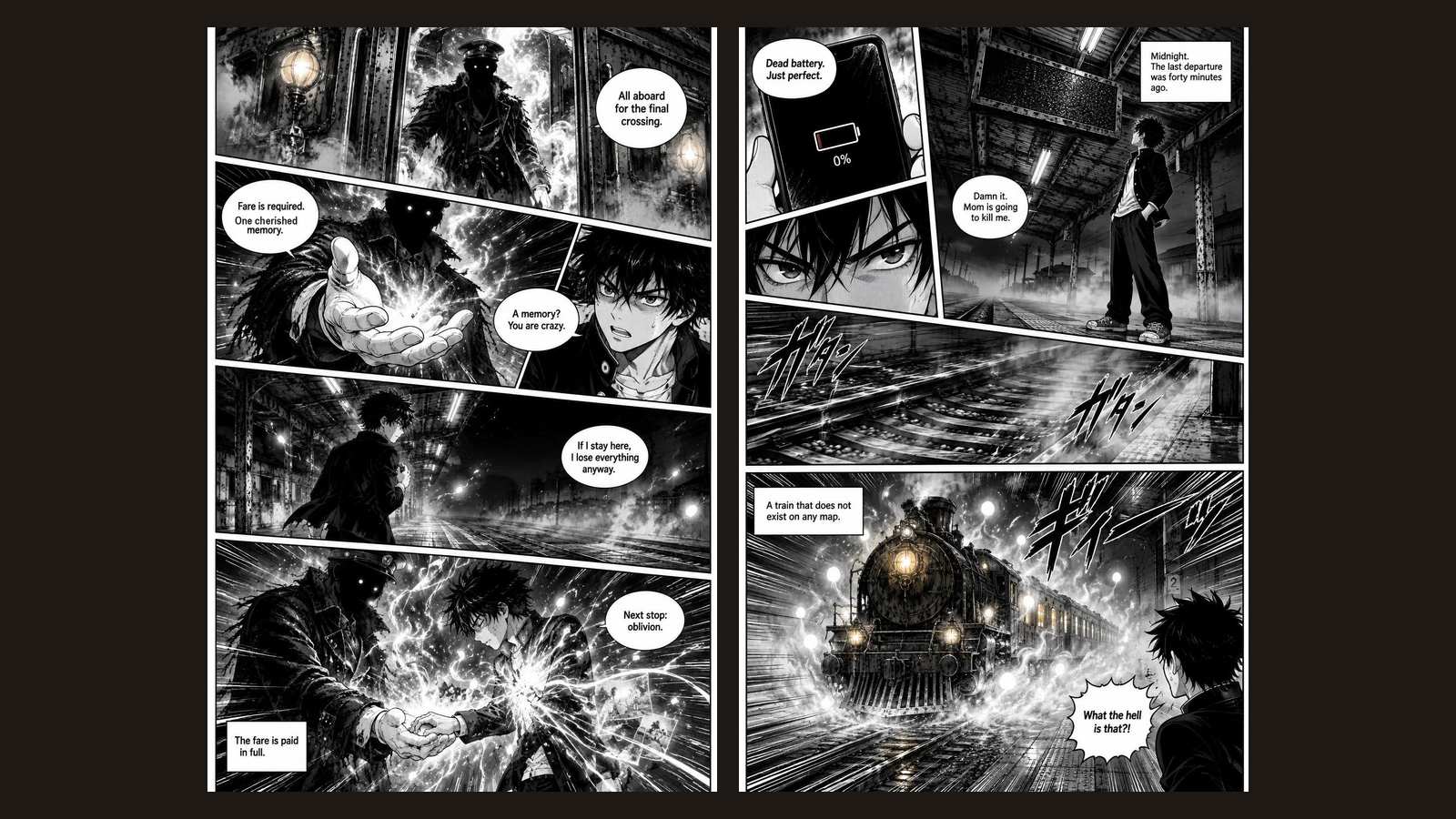
Write one scene, pick a manga style, and get the opening two pages of your manga: inked in screentone, laid out right to left, with the same cast on both pages.
How the AI manga generator works
It behaves like a manga assistant pitching a chapter opener to an editor: a two-page name (the rough storyboard), a locked character sheet, then finished, inked pages. This page is the quick test; the AI manga generator guide covers planning a full volume.
Write one scene
Name the protagonist, where they are, and the moment everything changes. Manga openers live on one strong image, so a single striking scene works better than a plot summary.
Choose a manga style
Shonen for action and speed lines, shojo for soft lines and flower screentones, seinen for realistic grit, chibi for comedy, horror for dense, unsettling ink, or full-color if you want a colored webmanga look.
Read two finished pages
The AI scripts three or four panels per page, mixing wide shots, eye close-ups and one big dramatic panel. Page 2 is drawn with page 1 as its reference and ends on a reveal. Pages read right to left, as in printed Japanese manga.

Who uses an AI manga generator
Two pages are the length of a pitch: enough to see whether a premise has the hook a manga needs before you plan forty more.

Writers pitching a manga or webmanga
Test whether your opening scene reads as manga, not as a novel with pictures. If the first panel doesn't grab you, rewrite the scene and generate again. Design your cast in depth first with the character creator.
Fans drawing fan-style stories
Try the same scene in shonen and then shojo and see how much the mood shifts. Want a Western layout with color instead? The comic generator reads left to right and adds webtoon, superhero and noir styles.

Teachers and Japanese-language clubs
Show students how manga is read right to left and how panel size controls pacing, using a scene they wrote themselves. If the class gets stuck on the story, the plot twist generator gives them a turn for page 2.

Frequently asked questions
Yes. You can generate two manga pages without an account. Free runs are limited per hour so the tool stays quick. Signed-in users can keep generating with credits inside the app.
Yes. Panels are laid out in Japanese reading order: start at the top right, move left, then down. Speech bubbles are lettered horizontally so English and other languages stay readable.
Five of the six styles are classic black-and-white ink with halftone screentone shading, like a printed manga magazine. Pick full-color if you want a colored page.
The generator writes a fixed character sheet before it draws, and page 2 uses page 1 as a visual reference. Give your hero one distinctive detail, like a red scarf or a scar, and it carries across both pages more reliably.
Continue the result as a visual book in AIWriteBook. There you plan the whole story page by page, keep one locked style and cast, redraw single pages, and export the finished manga.

Related tools & guides
Keep going with more free tools and in-depth guides
AI Manga Generator Guide
Plan and draw a complete manga volume with a consistent cast.
Visual Books
Turn a story into a full illustrated book in one locked art style.
Comic Generator
Two lettered comic pages in webtoon, superhero, noir and more.
Character Creator
Build a detailed cast before you draw them.
Plot Twist Generator
Find the reveal that ends your opening chapter.
Ready to write your full book?
Transform your ideas into complete books with AI-powered writing, cover design, and publishing tools.