

AI Picture Book Maker
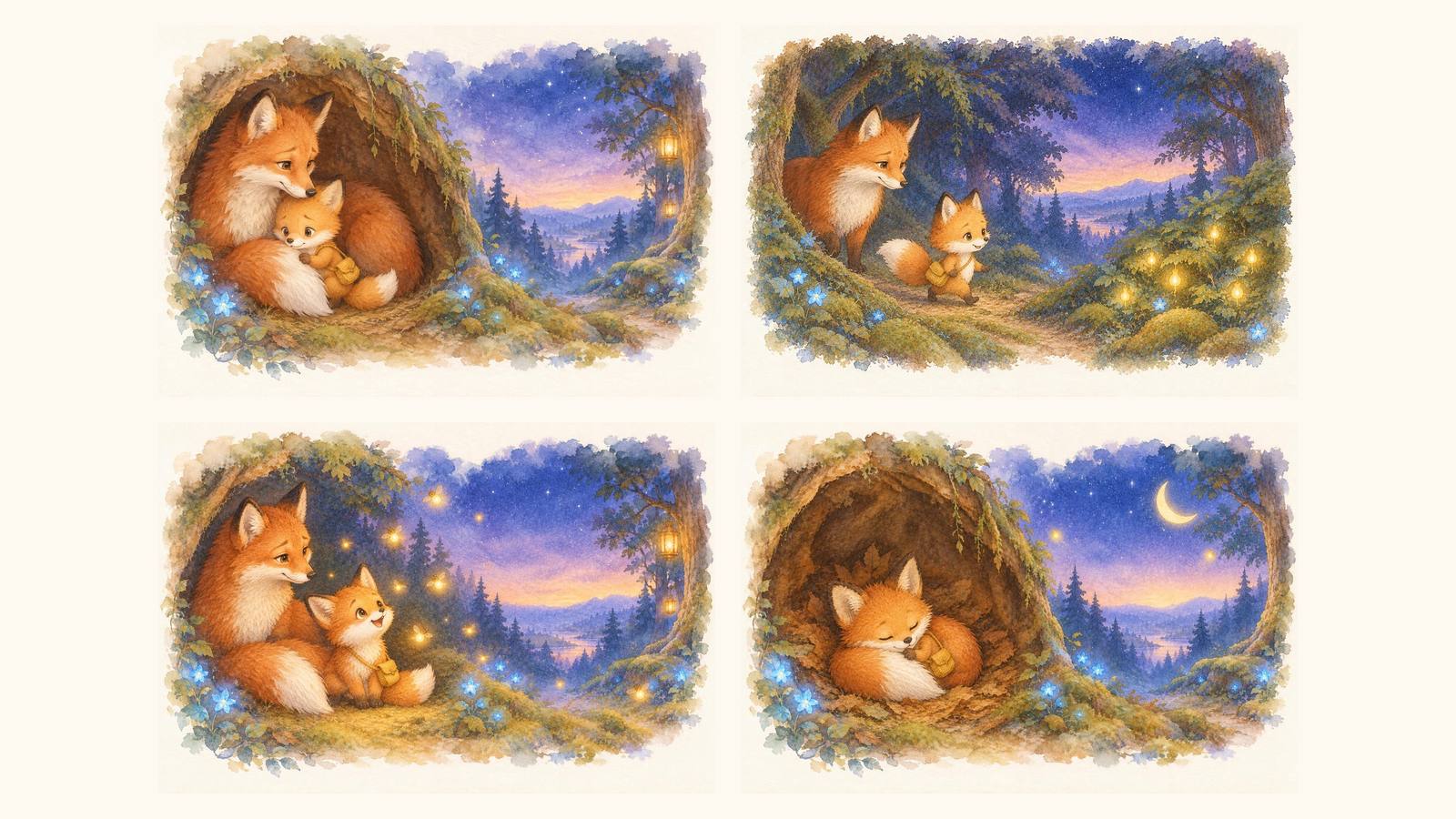
Enter a theme and the reader's age. The AI writes a short picture book story and paints one illustration per spread, with the same characters and art style on every page.
The free version makes a 4-spread picture book. Sign in to choose 4, 6 or 8 spreads.
What is an AI picture book?
A picture book tells a story through short read-aloud text and a large illustration on every spread, the two facing pages a child sees when the book lies open. An AI picture book maker does the first draft of both jobs for you: it writes text sized for the reader's age and paints illustrations that keep the same hero, outfit and colors from the first spread to the last. You stay the author. Use the draft to test an idea in a minute, then shape it into a real book in Visual Books.
Edit the spreads
The free tool gives you the story and the illustrations as a draft you can download. When you continue in AIWriteBook, the picture book becomes a visual book: you choose a page mode of single pages or two-page spreads, plan each page on a storyboard, then open every page in a canvas editor to crop, resize and reposition the illustration, move and restyle the text, and redraw any picture with a new prompt. Your characters keep a reference image each, so they look the same on every page.
Export for print
A visual book in AIWriteBook has nine trim sizes, including the square 8.5 x 8.5 inch format many picture books use. You can export a standard PDF to share or read on screen, and a print-ready PDF with one trim page per sheet and an optional 0.125 inch bleed, ready to upload to Amazon KDP or IngramSpark. For the whole process from idea to printed copy, read how to write a children's book.

How the AI picture book maker works
It follows the order a picture book author and illustrator work in: decide who the book is for, write the story spread by spread, then paint each spread from one locked character design. For a full book with more pages and a print layout, use the picture book maker.
Enter the age and the theme
Pick the reader's age (0-2, 3-5 or 6-8), describe the story in a sentence or two, and choose an art style. The age decides how many words each spread gets and how simple the sentences are.
The AI writes the story
The AI writes a title, a one-line premise and the text for every spread: an opening that introduces the hero, a small adventure with a surprise on each page turn, and a calm, warm ending for bedtime.
The AI paints the illustrations
It paints spread 1 first, then paints every other spread with spread 1 as its reference, so faces, outfits and colors match. The pictures are wide spreads with no text inside, so your words can sit wherever you want them.
Who uses an AI picture book maker
A four-spread draft is enough to hear whether a story works read aloud and see whether the hero is someone a child will love. Here is who gets the most out of it.
Parents and grandparents
Turn tonight's bedtime worry, a new sibling, the first day of nursery or a favorite toy into a story starring your child. Read it from the screen tonight, then make a printed copy later.
Teachers and childcare staff
Make a short story about tidying up, sharing, or the season's theme, pitched at exactly the age of the class. Write the lesson in the theme and the story carries it gently.

Aspiring picture book authors
Test a manuscript idea before you commit to a full book. Design your hero first with the character creator, then build the full book with the AI children's book generator.
Frequently asked questions
Yes. You can make a four-spread picture book without signing up. Free generations are limited per hour so the tool stays fast for everyone. Signed-in users can choose 4, 6 or 8 spreads and pay 10 credits per spread.
Yes. The story is written in the language of the page you are on, so on the Japanese page you get Japanese text, with mostly hiragana for younger readers. The illustrations contain no words, so they work in any language.
The AI writes a fixed character sheet first and paints every spread from spread 1 as a visual reference, so the hero keeps the same face, fur or hair, and clothes. Simple, distinctive designs, like a red scarf or one spotted ear, hold up best.
You can download each illustration and the full text right away. To get a printable book, continue it as a visual book in AIWriteBook, where you lay out the spreads, choose a trim size and export a print-ready PDF for Amazon KDP or IngramSpark.
You own what you create, and you can use the text and the illustrations in your own book. If you plan to sell it, continue it in Visual Books so every page shares one style and the book is exported at print quality.
Related tools & guides
Keep going with more free tools and in-depth guides
Visual Books
Build a full picture book with one locked art style, spread layouts and print export.
Picture Book Maker
Plan, illustrate and lay out a complete picture book.
AI Children's Book Generator
Write a full children's book with AI, from idea to finished pages.
Character Creator
Design your hero in detail before you draw the book.
How to Write a Children's Book
The full process from idea to a printed copy.
Genre Fiction Guide
Find the genre and tropes that fit your story.
Ready to write your full book?
Transform your ideas into complete books with AI-powered writing, cover design, and publishing tools.