

Part of the AI writing assistant guide
Grammarly fixes the sentence. AIWriteBook works on the whole book
Grammarly is the checker that follows you everywhere you type: email, documents, chat, social posts. It is very good at the last pass on any text. A book needs more than a last pass, though. It needs a plan, chapters that agree with each other, an edit that looks at structure, and files a store will accept. That is the job AIWriteBook is built around.
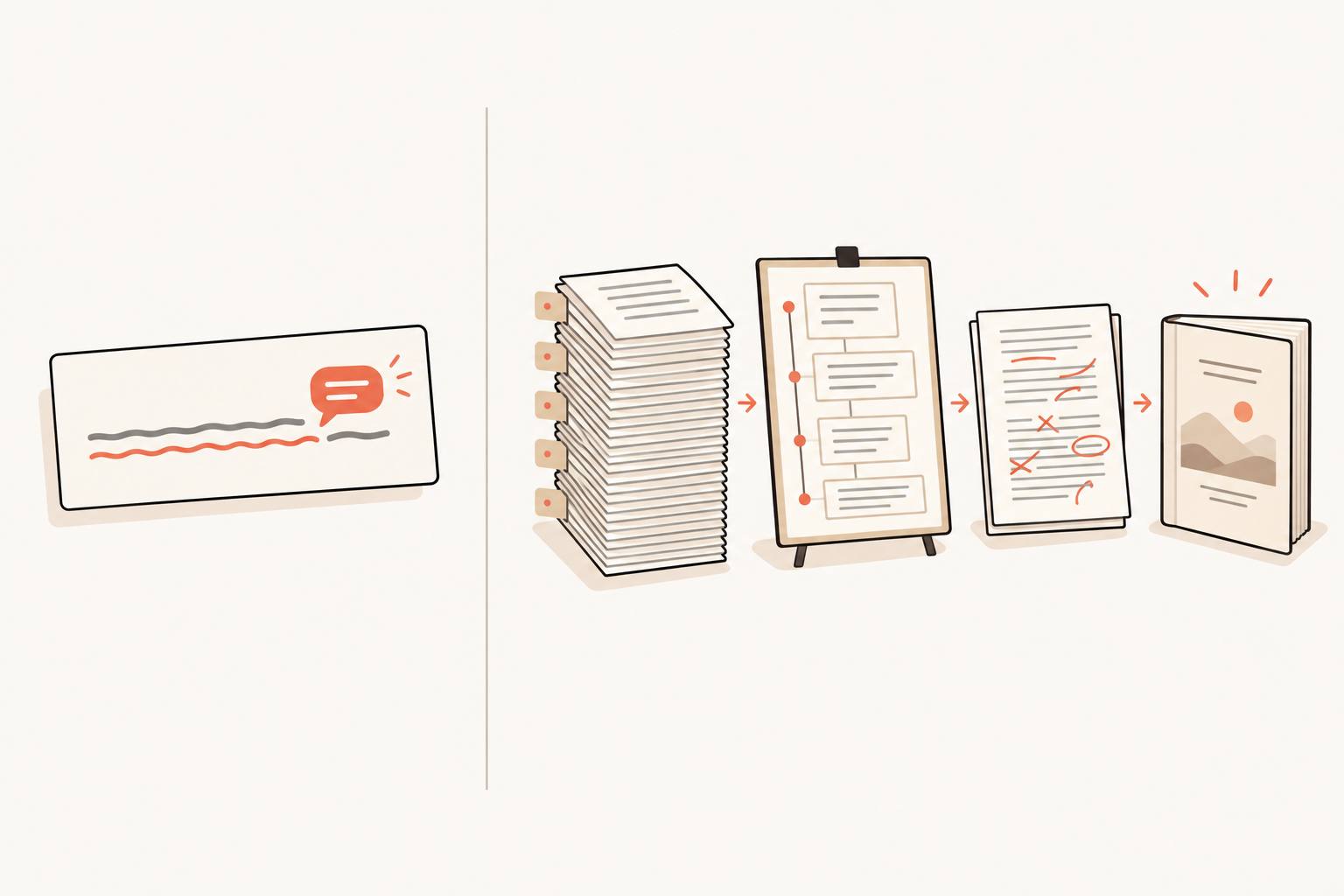
One job is the sentence, the other is the book
Grammarly reads the text box you are in. AIWriteBook reads the project: outline, characters, every chapter so far. When authors go looking for a Grammarly alternative, it is usually because they hit the edge of that first job.
Grammarly's job
Make whatever you are typing correct and clear
- Checks spelling, grammar and punctuation as you type
- Detects tone, and on Pro adjusts it and rewrites full sentences
- Generates text from prompts, 100 a month free and 2,000 on Pro
- Works in browser extensions, desktop apps, Word, Google Docs and on mobile
What it leaves you withClean text in whatever app you were writing in
AIWriteBook's job
Take a book from idea to published files
- Plans the outline, chapters and characters, all editable
- Drafts each chapter from the plan in the voice of your writing sample
- Edits the manuscript with an editorial letter, a style sheet, line edits and a proofread
- Builds the print PDF, EPUB, wrap cover and DOCX, plus the KDP listing
What it leaves you withA book you can upload to KDP or any other store
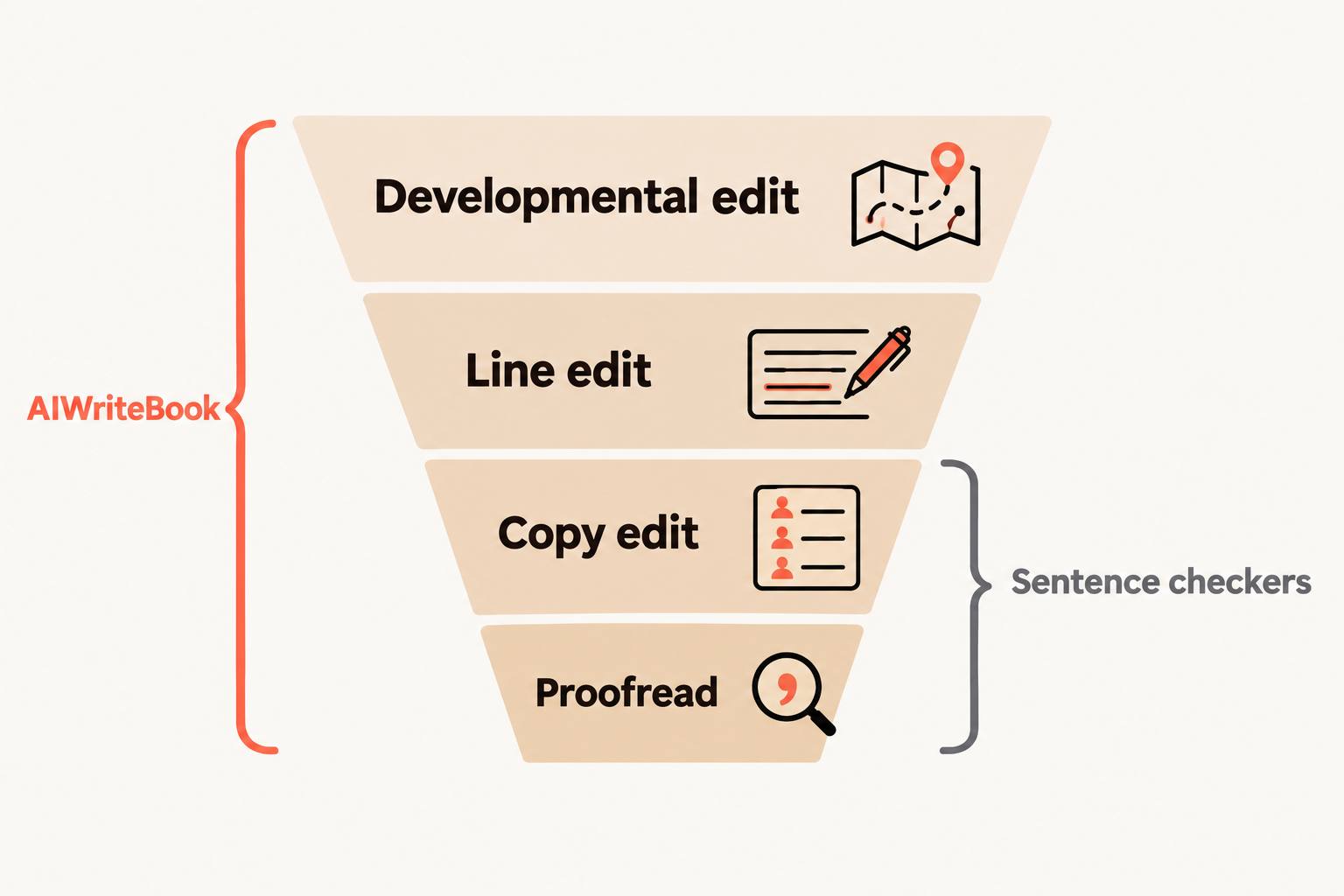
Four editing passes, and which tool covers each
Professional editors work a manuscript in passes, from the big picture down to the commas. Our self-editing guide walks through all four. Grammarly lives in the last two. Most of what makes a book good is decided in the first two.
Developmental edit
Does the story work? Pacing, structure, plot holes, a middle that sags. This is the pass that decides whether readers finish the book.
- Grammarly
- Not what it is designed for
- AIWriteBook
- The Book Editor writes an editorial letter on the whole manuscript
Line edit
Voice, rhythm, word choice, the sentence that says the same thing twice. The goal is prose that sounds like you on a good day.
- Grammarly
- Full-sentence rewrites and tone adjustment on Pro
- AIWriteBook
- Line edits per chapter and the AI chat, each change shown as a diff you accept or reject
Copy edit
Consistency across hundreds of pages: a name spelled two ways, a timeline that slips, a capitalization rule that wanders.
- Grammarly
- Flags some inconsistencies within the document you have open
- AIWriteBook
- A style sheet of names, spellings and conventions for the whole book
Proofread
The last sweep for typos, missing words and punctuation before the book goes to readers.
- Grammarly
- Its strongest pass, in every app you write in
- AIWriteBook
- A proofread pass in the Book Editor, plus the chapter grammar and style check
Where Grammarly is the better pick
- Checking text everywhere you write: email, Slack, Google Docs, Word, social posts and your phone.
- Quick tone checks on work messages before you hit send.
- Team features on Pro, such as shared snippets and analytics, and enterprise security on its top plan.
- A free plan that catches spelling and grammar with no setup at all.
Who should keep Grammarly
Almost everyone who writes for work. Keep it running for email and documents. For the manuscript itself, write and edit in AIWriteBook, where the edit can see the whole book.
Grammarly and AIWriteBook side by side
Rows picked for what matters on a book project, not for a word-processor checklist.
| What matters | Grammarly | AIWriteBook |
|---|---|---|
| Built for | Everyday writing: email, documents, chat and social posts | Book manuscripts, fiction and non-fiction |
| Unit of work | The text box or document in front of you | The book: outline, chapters, characters and Story Bible |
| Writes new chapters | Generates text from prompts, within a monthly prompt allowance | Drafts each chapter from your outline, in the voice of your writing sample |
| How suggestions arrive | Underlines with one-click fixes | Diffs and replacements you accept, reject or skip one at a time |
| Manuscript-level edit | Not mentioned on its site | Editorial letter and style sheet for the whole book |
| Plagiarism and AI detection | On Pro | Plagiarism checker and AI content detector tools |
| Cover and publishing files | Not mentioned on its site | Cover designer, print PDF, EPUB, wrap cover and DOCX |
| Audiobook | Not mentioned on its site | Whole-book audiobook with 25 voices |
| Price for one writer | Free plan, Pro from $12 a month billed annually | Free to start, plans from $12/mo or packs from $20 |
Grammarly details from grammarly.com/plans, October 2026.
Moving your manuscript over
Keep Grammarly installed. Only the book moves.
Save the draft as Word
From Google Docs or Word, download the manuscript as a .docx file. Headings for chapters help, but are not required.
Import it
Upload up to 200,000 words. AIWriteBook finds the chapters, front and back matter, and lets you rename, split or reorder them before anything is saved. Your words stay unchanged. More on this in manuscript import.
Run the edit Grammarly could not
Open the Book Editor for an editorial letter and a style sheet, then go chapter by chapter through line edits and the proofread, keeping only the changes you agree with.
Format and publish
Build the print PDF and EPUB, design the cover, and carry the files to KDP or any other store.
Related reading
- The AI writing assistant guideEvery kind of AI writing tool for authors, sorted by the job it does.
- AI proofreaderEach issue with its reason and three or four ways to fix it.
- Grammar checker for manuscriptsPaste a chapter or a whole manuscript and see every fix explained.
- AIWriteBook vs QuillBotThe paraphrasing side of polishing, and how to use it with a book tool.
- Hiring a freelance editorWhen a human edit is worth the money, and what to ask for.
Grammarly for books: common questions
Is Grammarly good for editing a book?
It is good for the proofreading end of it. Grammarly catches spelling, grammar and punctuation reliably and works in Word and Google Docs, where many manuscripts live. It looks at the text you have open, though, so it will not tell you that chapter twelve contradicts chapter three or that the middle drags. That needs an edit that reads the whole book.
What is the best Grammarly alternative for authors?
It depends on the job. If you only need a sentence checker, most alternatives are close substitutes. If you need to write and edit a book, AIWriteBook covers the passes Grammarly does not: an editorial letter on the whole manuscript, a style sheet, line edits you accept one by one, and then formatting and publishing files.
Does Grammarly change an author's voice?
Its suggestions lean toward clear, conventional prose, which is right for email and not always right for fiction. Accepting every underline tends to flatten style. In AIWriteBook each edit arrives as a separate change, and style suggestions are optional.
How do the prices compare?
Grammarly has a free plan, and Pro starts at $12 a month billed annually. AIWriteBook is free to start with your outline and first chapter, plans begin at $12 a month billed yearly, and one-time packs start at $20 for 250 credits.
Can I use Grammarly and AIWriteBook together?
Yes. Many authors keep Grammarly for everything they write outside the book and do the manuscript work in AIWriteBook. If you export a DOCX for a human editor, Grammarly can run on that file too.
Can I publish an AIWriteBook manuscript on Amazon KDP?
Yes. The Format step builds a print PDF, EPUB and wrap cover sized for KDP, and you can generate KDP keywords and a book description for the listing. You own everything you write.
Keep Grammarly for email. Give your book a real edit
Import your draft or start a new one. The outline and first chapter are free.
- Outline and first chapter free
- Import your .docx draft, up to 200,000 words
- Print PDF, EPUB, wrap cover and DOCX from one Generate
- One-time credit packs from $20, no subscription