


On this page
The honest math of a 10,000-word day
Most writers draft at 500 to 1,500 words an hour when they know what comes next, and far less when they do not. At 1,000 words an hour, 10,000 words is ten hours of typing, which nobody keeps up. The writers who hit five figures a day do it by changing two numbers: their words per hour, and how much of each hour they spend not knowing what to write.
500 to 1,500
words per hour, typical manual drafting
3 to 4
focused sprints most people can manage per day
10 hours
of typing for 10,000 words at 1,000 words an hour
Rachel Aaron described this in her well-known essay on going from 2,000 to 10,000 words a day: know what you are going to write before you write it, track your output to find your best hours, and only write scenes you are excited about. AI adds a fourth lever. It can draft the scene you have already decided on, so your hour goes into steering and rewriting instead of producing every sentence from zero.
Outline before you try to go fast
Speed comes from decisions made in advance. Before a 10,000-word day, every scene on the list needs three things written down: what the character wants, what stops them, and how the scene ends differently from how it began. With those in place, drafting is execution.
This is where AI saves the most time, and where it does the least damage to your voice. Generate a chapter-by-chapter plan, argue with it, and rewrite it until it is yours. AIWriteBook's outline builder creates a full outline with a story bible per chapter (events, locations, twists, character interactions and a word count target), and you edit every line before a word of prose exists. If you prefer to start outside the app, the free outline generator gives you a quick skeleton.
If you need a refresher on structure itself, read how to create a book outline first.
Sprint writing with AI in the loop
A sprint is a fixed block, usually 25 to 50 minutes, with one scene as the target and no checking email. With AI in the loop the sprint looks like this:
Load the scene
Read the outline entry and the last page you wrote. Two minutes, not twenty.
Generate a first pass
Have the AI draft the scene from your outline in your voice. AIWriteBook's chapter generator writes from the story bible, and the writing style builder lets it match a sample of your prose.
Rewrite the parts that matter
Dialogue, the turn of the scene and the last paragraph carry most of a scene's quality. Rewrite those by hand. Keep connective tissue if it is good enough.
Fix with targeted requests
Instead of regenerating the whole scene, ask for one change: cut the description in half, make her angrier, end on the phone call. In AIWriteBook's chapter AI chat each change arrives as a diff you accept or reject.
Log the count and stop
Write the word count down, stand up, and do not reread the scene until the editing pass.
The word count that matters is words you would keep. Count only the text that survives step three. A 3,000-word sprint where you keep 2,500 is better than a 6,000-word dump you will delete tomorrow.
Plan your sprint day
Set your real numbers. The planner shows what a day looks like and how many days a book of your target length would take.
Words per day
7,500
Days to a full draft
8
You need 2,500 more kept words a day to reach 10,000.
A daily schedule template
This is one way to arrange a 10,000-word day for someone writing full time. Shift the clock to your own best hours; the order matters more than the times.
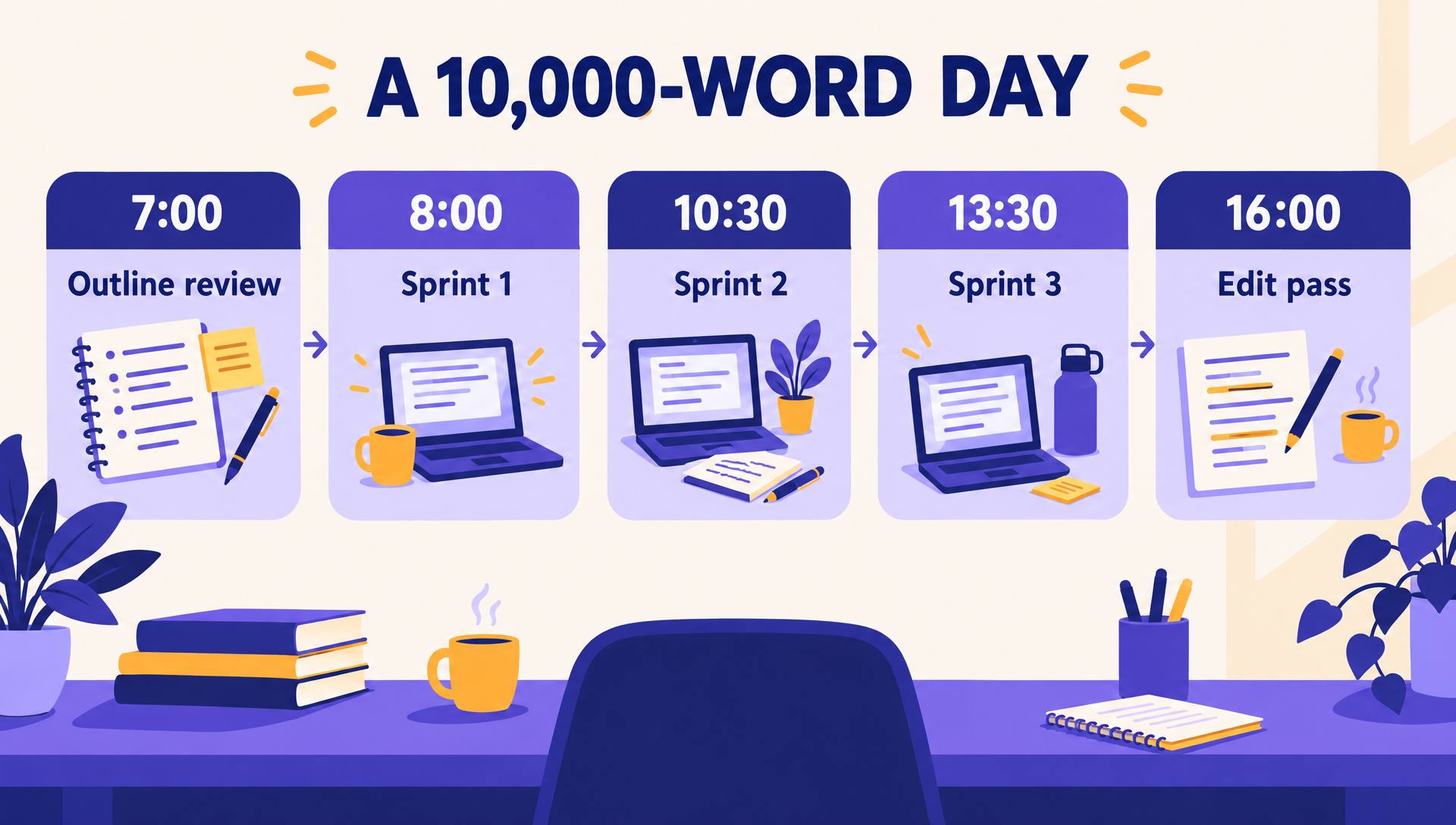
- 7:00 · Outline review: read today's scenes, fix anything vague, 30 minutes
- 8:00 · Sprint 1: two 45-minute sprints with a 10-minute break, about 3,500 kept words
- 10:30 · Sprint 2: two sprints, about 3,500 kept words
- 12:30 · Long break away from screens
- 13:30 · Sprint 3: one or two sprints, about 3,000 kept words
- 16:00 · Edit pass on yesterday's chapters, not today's
Editing strategies that keep up with the drafting
Fast drafting moves the work into editing, it does not delete it. Edit a day later so you read with fresh eyes, and edit in passes, not line by line: story first (does each scene turn), then continuity, then prose.
AI is useful here for the mechanical layers. AIWriteBook's book editor produces an editorial letter, a style sheet, line edits and a proofread, with each replacement accepted or rejected one by one, so nothing changes without you. For a single pass on a chapter, the free grammar checker handles typos and agreement.
One rule protects quality at speed: never let the AI rewrite a scene you have already rewritten by hand. Ask for specific fixes and review the diff.
Try a sprint with your own outline
Create a book, build the outline, and draft your first chapter from it. You steer every scene and accept or reject every change.
How to write a book fast: the 30-day sprint
If what you really want is a finished book quickly, you do not need 10,000 words every day. You need a plan that adds up. Here is a 30-day sprint for a 60,000-word book at a sustainable 3,000 kept words a day, with room for a bad day or two.
Days 1 to 4: decide everything
Premise, characters, ending, chapter outline. No prose. A book written fast without an outline is a book rewritten slowly.
Days 5 to 25: draft
Three sprints a day, about 3,000 kept words. Two days off in the middle. Track every session; you will find which hours produce your best pages.
Days 26 to 30: structural edit
Read the whole draft once without fixing, list the five biggest problems, and fix those first. Line editing comes after the sprint, not inside it.
NaNoWriMo-style challenges use the same idea at 1,667 words a day; see our NaNoWriMo strategy guide for keeping momentum through the slump around day 15. And if you stall completely, the fixes in how to overcome writer's block start with the outline, not willpower.
Avoiding burnout
A 10,000-word day is a sprint, not a lifestyle. These are the warning signs that the pace is costing more than it gives:
- You keep less than half of what you draft
- Scenes start to read alike and characters sound the same
- You dread opening the file for two days in a row
- Sleep drops under seven hours to protect writing time
When two of these show up, drop to half your target for a week. Most professional writers who publish several books a year average far below 10,000 words a day; they reach their totals by writing most days, not by writing huge days.
Questions
- Is writing 10,000 words a day realistic?
- For a few days at a time, yes, especially with a detailed outline and AI drafting you then rewrite. As a daily habit for months, it is rare even among full-time authors.
- Does AI-assisted writing still count as my writing?
- The ideas, structure, choices and final wording are yours when you outline, steer and rewrite. Check your publisher's or store's disclosure rules; Amazon KDP asks you to disclose AI-generated content.
- What is the fastest way to write a book?
- Outline every chapter first, write in timed sprints at your best hours, and separate drafting from editing. A 60,000-word book is about 30 days at 3,000 kept words a day with a few days for planning and revision.
The takeaway
Big word counts come from knowing what to write, protecting your best hours and letting AI produce the first pass while you make the decisions. Measure kept words, not typed words, and treat the 10,000-word day as a tool for a deadline rather than a daily target.
For the full path from idea to finished manuscript, see the How to Write a Book guide.