

How MOBI rose and got retired
MOBI is older than the Kindle. Mobipocket, a French company, built the format around 2000 for reading on Palm handhelds and early smartphones. Amazon bought the company in 2005 and used its format as the basis of the first Kindle, wrapping it in Amazon's DRM and calling the result AZW. For roughly a decade, sending a book to a Kindle meant sending a MOBI.
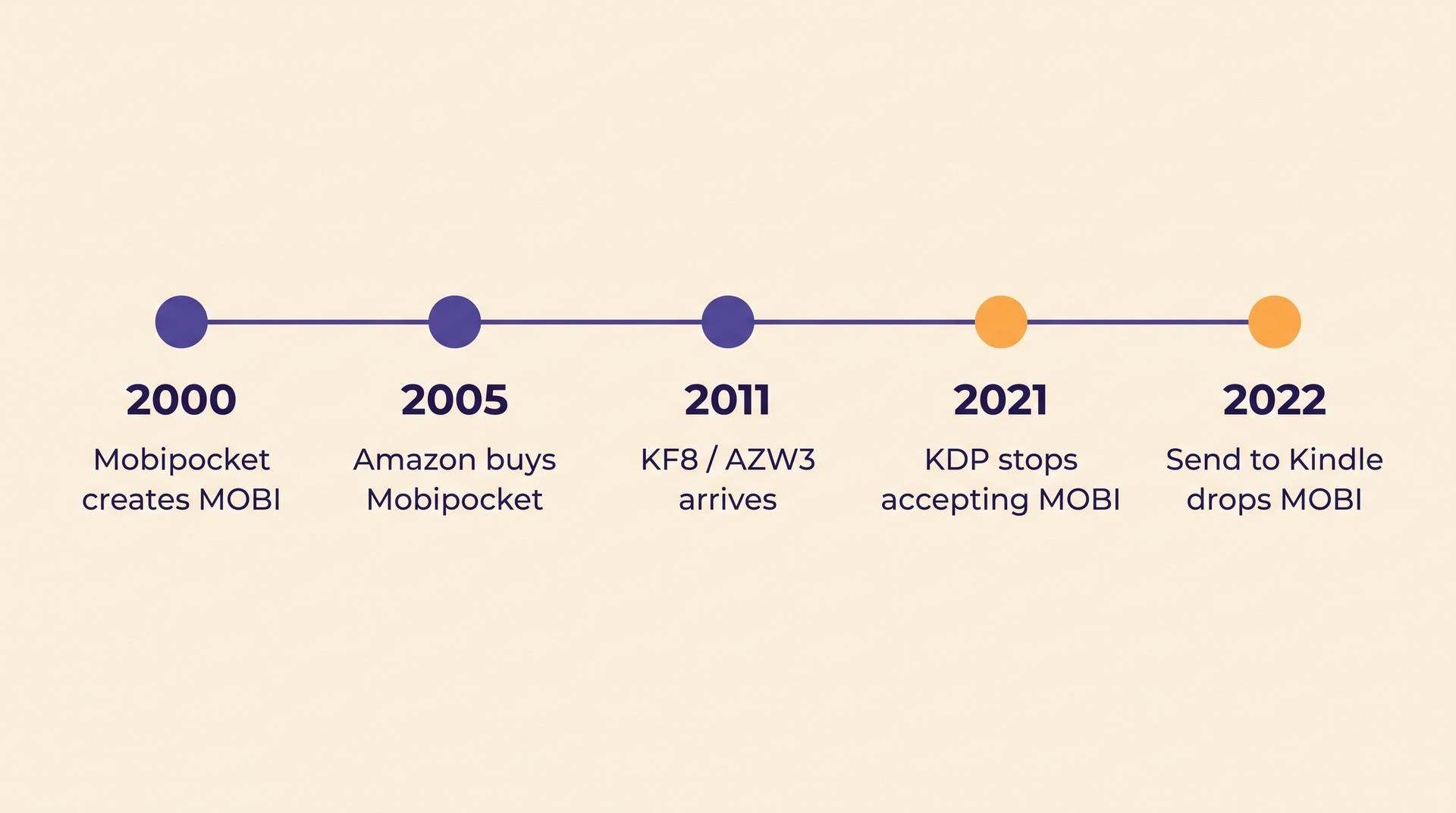
The two dates on the right are the ones that matter to you. In 2021 KDP stopped accepting .mobi uploads for reflowable ebooks, and Amazon retired KindleGen, the command-line tool that produced them. In 2022 Send to Kindle stopped accepting MOBI too, so you can no longer email one to your own device. Books you already own in MOBI still open; the format is closed to new arrivals, not deleted from history.
MOBI, AZW3 and KF8 are three names for a tangled thing
The confusion in "MOBI vs AZW3" comes from Amazon using overlapping names. MOBI is the original Mobipocket format. AZW is that same format with Amazon's DRM applied. In 2011, alongside the Kindle Fire, Amazon shipped Kindle Format 8 — a rebuilt format supporting a subset of HTML5 and CSS3, so fixed layouts, drop caps, nested tables and real typography finally worked. KF8 is the specification; AZW3 is the file extension it ships under.
For years the two lived in one wrapper. A file that KindleGen produced could be a dual-format container: KF8 content for newer devices and an old MOBI section for the original Kindles, glued together and still named .mobi. That is why a single file could look modern on one device and stripped-down on another, and why file size sometimes doubled for no visible reason.
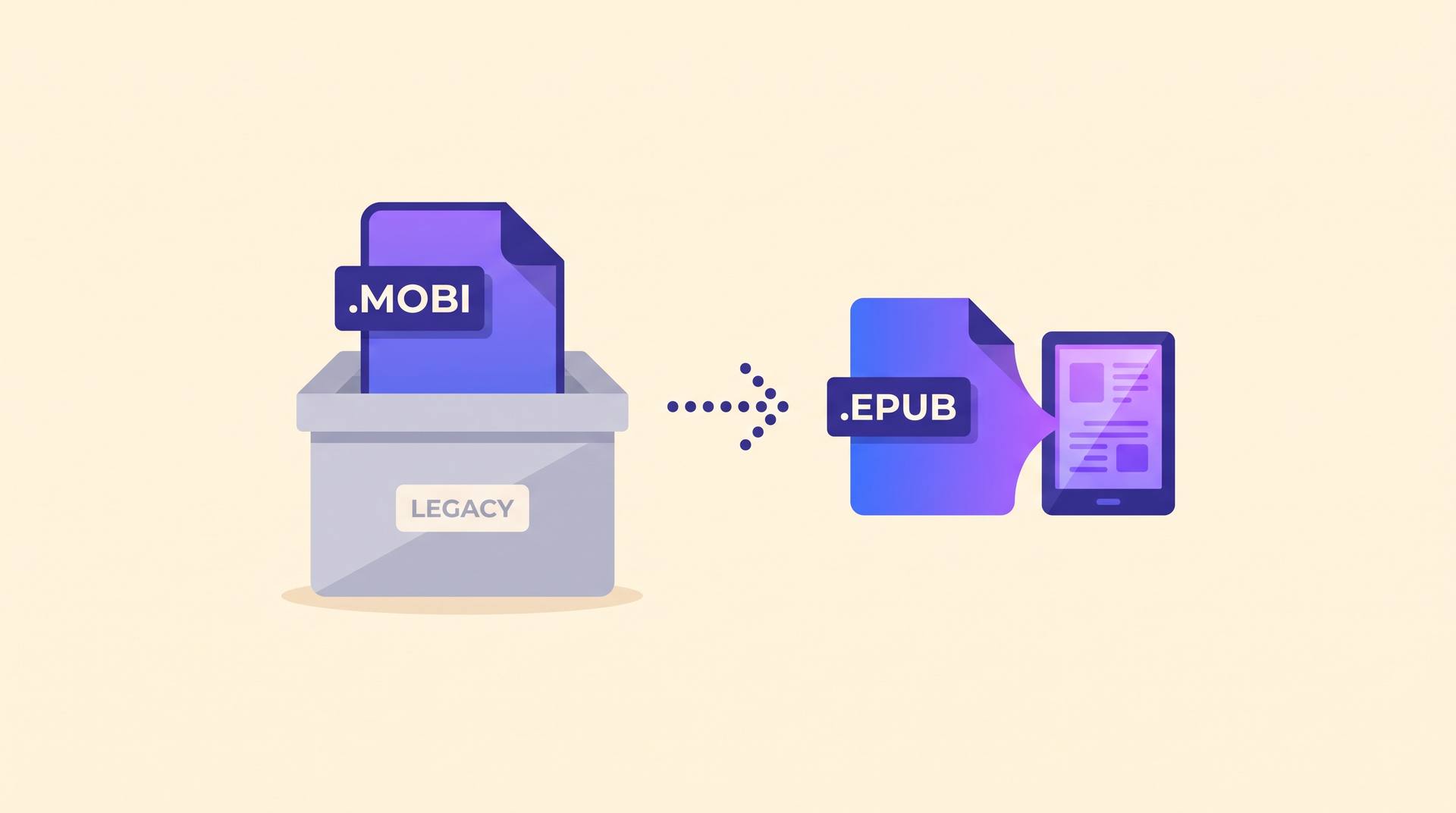
Modern Kindles have moved on again. Amazon now delivers most purchases as KFX, its current internal format, which is generated on Amazon's side from whatever you upload. You never make a KFX yourself, and you no longer make a MOBI either — you send EPUB and Amazon converts.
MOBI vs AZW3 vs EPUB
Three formats, three jobs. Only one of them is something you should be producing today.
| Compared on | MOBI | AZW3 (KF8) | EPUB |
|---|---|---|---|
| Status | Retired legacy format | Amazon-internal, still readable | Current standard |
| Accepted by KDP | No, since 2021 | No | Yes, recommended |
| Layout control | Basic HTML and inline styles | HTML5 and CSS3 subset | Full XHTML and CSS, fixed or reflowable |
| Works outside Amazon | Rarely | No | Apple Books, Kobo, Google Play, libraries |
| Who makes it | Nobody new; KindleGen is discontinued | Amazon, from your upload | You, your formatter, or your writing tool |
If you want the anatomy of the format you should actually be shipping — what sits inside the ZIP, and why stores reject certain files — read our plain-English explainer on the EPUB format.
Where MOBI still shows up in KDP
It mostly shows up as bad advice. Guides written before 2021 tell you to run KindleGen, produce a .mobi and upload that; forum threads and YouTube tutorials repeat it years later. Follow those steps in 2026 and KDP rejects the file at the upload stage, which is a confusing error to hit at 11pm on launch night.
There are two places the word legitimately survives. Kindle Previewer still opens old .mobi files so you can proof a backlist title, and some ARC and review services ask for a MOBI because their internal instructions were written a decade ago — send them an EPUB and it works fine on every current Kindle. If you are formatting a manuscript for upload now, our KDP formatting walkthrough covers what Amazon actually wants.
AIWriteBook exports EPUB directly, along with print-ready PDF for paperbacks and DOCX if you want to keep editing in Word. There is no MOBI step to get wrong, because there is no MOBI.
You have an old .mobi file. Now what?
A concrete case: a title you published in 2016, whose only surviving file is the .mobi you uploaded back then, and you want it back on sale.
- 1
Get the text out
Open the file in Calibre and convert MOBI to EPUB, or open it in Kindle Previewer to read it and copy the text. DRM-free files convert cleanly; a purchased, DRM-wrapped AZW will not.
- 2
Expect to rebuild the styling
A converted file carries the old format's limitations forward — inline styles, odd spacing, a table of contents that points at the wrong headings. Treat the conversion as a text rescue, not a finished ebook.
- 3
Re-export properly
Paste the rescued chapters into a current tool and export a fresh EPUB. If the manuscript is coming back into AIWriteBook, the draft import takes a Word .docx, so save the converted file as .docx and drop it straight in, then export a clean EPUB at the end.
Three things people get wrong about MOBI
Thinking MOBI is "the Kindle format"
It was, until 2011, and partly until 2021. The Kindle has used KF8 and now KFX for years. Calling MOBI the Kindle format in 2026 is like calling a fax number a business's contact details.
Renaming .epub to .mobi
The extension is not the format. The two containers are structurally different — EPUB is a ZIP of XHTML files, MOBI is a compressed PalmDOC-derived database — so a renamed file is simply a broken file.
Assuming old MOBI purchases disappeared
They did not. Books already in a Kindle library keep working; personal MOBI documents you sideloaded before 2022 still sit on the device. What changed is that Amazon accepts no new ones through KDP or Send to Kindle.
Related terms and tools
The neighbouring vocabulary, and the free tools authors reach for at the same moment:
Questions authors ask
The short answers, current as of 2026.
No. Amazon stopped accepting .mobi for reflowable ebooks in 2021. Upload EPUB — or a DOCX, which KDP will convert for you. Any tutorial that still tells you to build a MOBI with KindleGen is out of date, and KindleGen itself was discontinued.
MOBI is the original Mobipocket format from around 2000. AZW3 is the file extension for Kindle Format 8, which Amazon introduced in 2011 with far better CSS and layout support. For a while Amazon shipped both inside one .mobi container, which is why the two names get used interchangeably.
Calibre does it free: add the file, choose Convert, set the output format to EPUB. It works on DRM-free files only. Expect to clean up the styling and the table of contents afterwards, because the conversion inherits the older format's limits rather than fixing them.
Yes. Files already on the device or in your library open as they always did. The restriction is on new deliveries: Send to Kindle rejected MOBI from 2022 onward, so anything you sideload now needs to be EPUB or PDF.
In short: MOBI is history worth recognising and not worth producing. If a file, a tutorial or a service asks you for one, the honest answer in 2026 is an EPUB. For the wider picture of getting a book onto Amazon and keeping it selling, see our Amazon KDP guide.