AIWriteBook vs Draft2Digital: 2026 Comparison

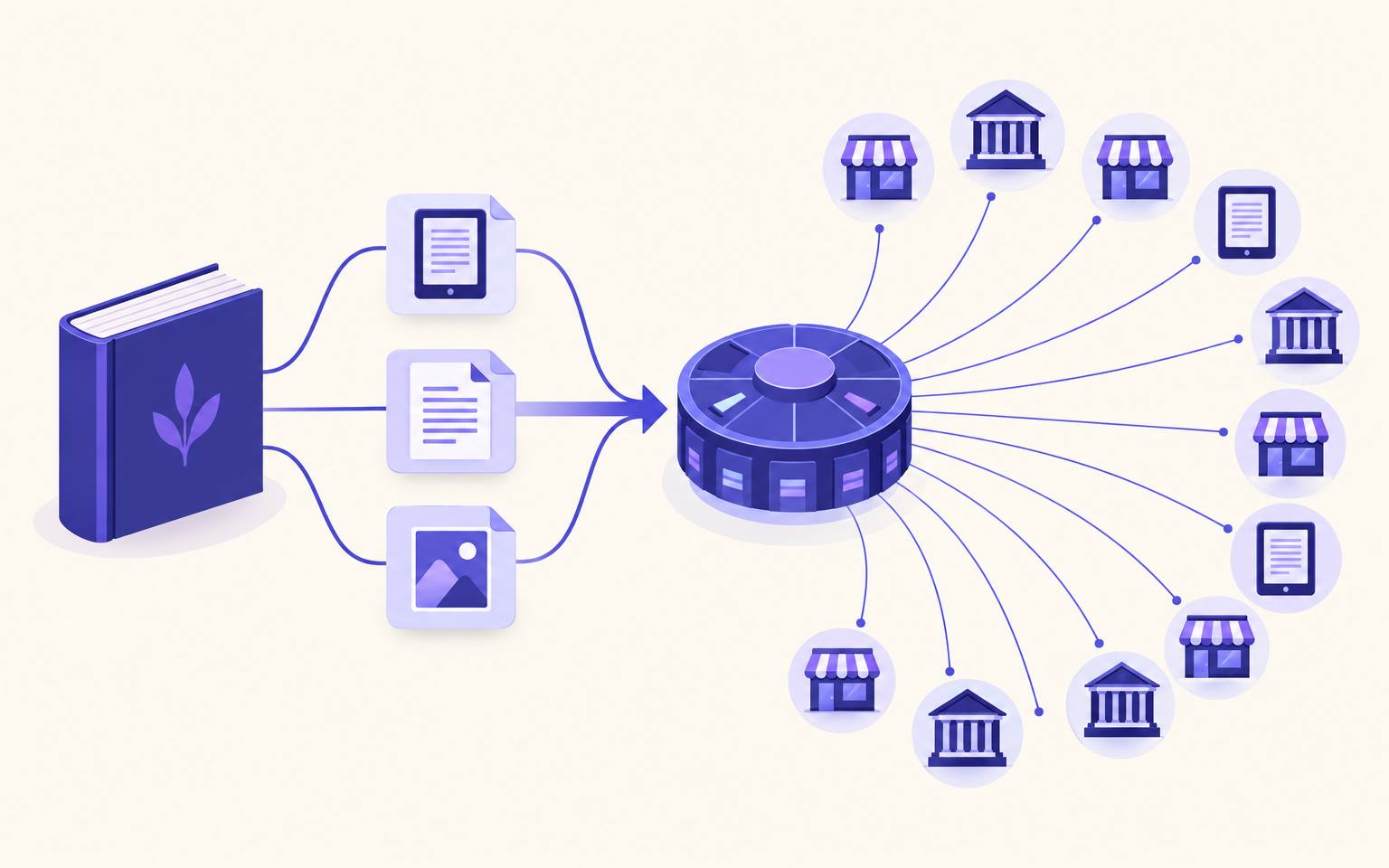
Draft2Digital is a distributor: one upload, many stores and libraries. AIWriteBook is where the book gets written and formatted. They meet at one stage, formatting, and hand off at the next.

Free to start, no credit card
Rated 4.7 out of 5 in 612 reviews
A finished book sending EPUB, DOCX and cover files to a distribution hub that branches out to bookstores and libraries

A handoff, not a replacement

AIWriteBook covers the first three stages. Draft2Digital owns wide distribution. The colored stage is the one place they do the same job.

  1. Stage

    Write

    Outline, chapters, revisions, in your own voice.

    • Draft2DigitalNot covered
    • AIWriteBookCore strength
  2. Stage

    Cover

    Front cover for ebook stores, wrap cover for print.

    • Draft2DigitalCovers part
    • AIWriteBookCore strength
  3. Stage

    Format

    Both do this

    Turn the manuscript into an EPUB and a print interior.

    • Draft2DigitalCore strength
    • AIWriteBookCore strength
  4. Stage

    Distribute

    Get the book into stores, subscription services and libraries.

    • Draft2DigitalCore strength
    • AIWriteBookCovers part

Which AIWriteBook file goes where

The formatter exports four files in one run. Each one has a clear destination.

  • EPUBUpload to Draft2Digital as a finished ebook when you want your own layout kept exactly. It is checked with EPUBCheck before you download it.
  • DOCXUpload to Draft2Digital instead when you want D2D's converter to build the ebook and add its automated end matter.
  • Front coverUpload as the ebook cover. D2D can build a print wrap cover from it.
  • Wrap coverUse for KDP Print or IngramSpark, or upload to D2D Print after matching D2D's cover template.
  • Print PDFUpload to KDP Print or IngramSpark directly. It is built for both.

Our step-by-step guide on how to publish on Draft2Digital walks through the upload, metadata, store selection and D2D Print setup with these exact files. If you plan to go direct to some stores instead, publishing on IngramSpark and KDP vs IngramSpark cover the print side.

The overlap: formatting

Both tools turn a manuscript into book files. They start from different places.

Draft2Digital's converter takes a Word file, or RTF, ODT or TXT, and builds an ebook and a print edition from it, with automated end matter such as an also-by list and a teaser for your next book. You can download the converted files for free, even if you publish elsewhere. It also accepts a finished EPUB for ebooks.

AIWriteBook's book formatter works on the book you wrote or imported into the editor: five interior themes, 12 embedded fonts, nine trim sizes, front and back matter, and an exact proof, then a print PDF, an EPUB, a DOCX and a wrap cover. The formatter costs 200 credits once per book.

Formatting, side by side
What mattersDraft2DigitalAIWriteBook
Starts fromA Word, RTF, ODT or TXT file you uploadThe book in your AIWriteBook editor, written or imported
EbookConverted ebook, or your own EPUBEPUB checked with EPUBCheck
Print interiorD2D Print edition in six trim sizes, 5 x 8 to 8.5 x 11Print PDF in nine trim sizes, ready for KDP and IngramSpark
Print coverAuto-generated wrap from your front cover, or your own on their templateWrap cover exported with the interior
End matterAutomated also-by list, teaser and other end matterFront and back matter builder
Editable fileDownload of the converted filesDOCX export for editors
Free to start, no credit card

Fees

You pay Draft2Digital when books sell. You pay AIWriteBook while you write.

Draft2Digital

About 10% of each sale

A $20 one-time, non-refundable activation fee, then D2D keeps about 10% of the retail price on ebooks. Accounts earning under $100 a year pay $12 a year in maintenance. D2D Print pays you about 45% of list price minus the print cost. ISBNs are free but work only inside D2D.

AIWriteBook

No cut of your sales

Your outline and first chapter are free. Plans start at $12/mo billed yearly, and one-time packs start at $20 for 250 credits. Royalties go from the stores to you.

A D2D ISBN works only for books distributed through D2D. If you want one ISBN across every channel, our guide on how to get an ISBN covers buying your own.

Who distributes what

Being precise here saves a lot of confusion.

Draft2Digital delivers to

Apple Books, Barnes & Noble, Kobo and Kobo Plus, the Smashwords Store, Bookshop.org, Tolino, Vivlio, Everand, and libraries through OverDrive, cloudLibrary, Hoopla, BorrowBox and Gardners. Amazon is by invitation, and D2D Print sells paperbacks through the Amazon and Ingram channels. Books2Read universal links come with it.

AIWriteBook gets your book to

KDP, through the Publishing Assistant extension that fills and checks every KDP field while you press Publish. NanoReads, with one-step cross-publishing. Your own author page, with chapter previews, a reader email list and launch broadcasts. And audiobook and translated editions made in the same account. For every other store, you upload the EPUB, DOCX or print PDF yourself, or hand them to Draft2Digital.

Learn more about publishing on NanoReads and the author page.

Questions writers ask

Is AIWriteBook a Draft2Digital alternative?
Not for wide distribution. Draft2Digital delivers your book to stores and libraries. AIWriteBook writes and formats the book, publishes to KDP through its extension, to NanoReads and to your author page, and exports the EPUB, DOCX, print PDF and wrap cover you upload to Draft2Digital or anywhere else.
Can I upload an AIWriteBook EPUB to Draft2Digital?
Yes. Draft2Digital accepts an existing EPUB for ebook distribution, and AIWriteBook's EPUB is checked with EPUBCheck. Upload the DOCX instead if you want D2D's converter and automated end matter.
Does Draft2Digital accept books written with AI?
Draft2Digital accepts AI-assisted books, but not content generated entirely by AI without extensive human editing. In AIWriteBook you stay the author: you guide the outline, and every edit is shown as a change you accept, reject or rewrite.
Does AIWriteBook distribute to Apple Books, Kobo or Barnes & Noble?
You upload to those stores yourself, or through Draft2Digital, using AIWriteBook's EPUB and cover. AIWriteBook publishes directly to KDP through the Publishing Assistant, to NanoReads and to your author page.
Do I still need Draft2Digital's formatting if I use AIWriteBook?
No. AIWriteBook exports a finished EPUB and print PDF. Some authors still upload the DOCX to Draft2Digital for its automated also-by list and teaser.
What does Draft2Digital cost?
A $20 one-time activation fee, about 10% of the retail price on each ebook sale, and a $12 yearly maintenance fee for accounts earning under $100 a year.


Write the book D2D will distribute.

Plan, write and edit your first chapter free.

Free to start, no credit card
  • Outline and first chapter free
  • Print PDF, EPUB, wrap cover and DOCX from one Generate
  • 25 audiobook voices
  • Write in 37 languages
  • One-time credit packs from $20, no subscription
Your first chapter is free