


What Instagram is for (and what it is not)
Instagram rarely sells a book on its own. What it does well is make a book look real: the cover in someone's hands, a line from page 112, the desk where it got written. Readers who already heard about you somewhere else check your profile before they buy, and a quiet but alive feed reassures them.
That changes the goal. You are not trying to go viral. You are trying to be findable, credible and easy to follow from the profile to a place you control. If you are still choosing between platforms, our social media guide for authors compares Instagram with TikTok, Facebook and Threads.
The 2026 rules that actually affect authors
Most Instagram advice online was written for an older app. These are the changes worth knowing:
5 hashtags
Instagram now caps posts and Reels at five hashtags. Pick specific ones (#bookstagram plus your genre and a comp title) over generic piles.
3-minute Reels
Reels can run up to three minutes, so a short reading of a scene works. The first two seconds still decide whether anyone watches.
Rectangular grid
Profile grids now show tall 3:4 tiles instead of squares. Design covers and quote cards for a vertical frame so nothing important gets cropped.
Shares beat likes
Instagram's head, Adam Mosseri, has repeatedly pointed to sends (posts shared by direct message) as one of the strongest signals for reaching new people. Write posts a reader would forward to a friend.
Two more features help authors specifically. Trial Reels show a Reel to non-followers first, which is a low-risk way to test a hook. And your bio can hold up to five links, though one clear link usually gets more clicks than five competing ones.
The three post types (and nothing else)
Every post you make fits one of three jobs. Rotating them keeps the feed varied without a content calendar the size of a spreadsheet.
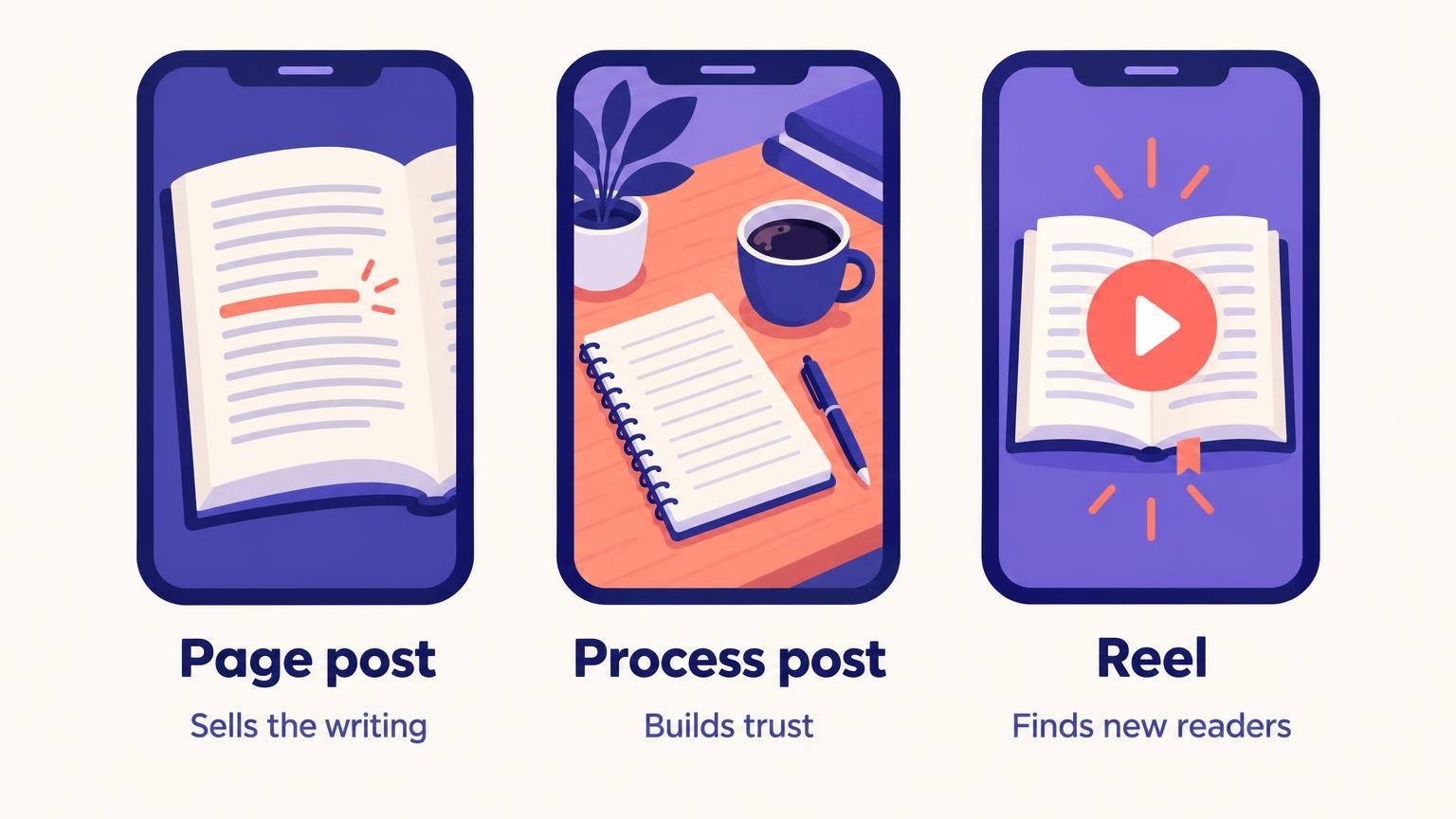
Page post
Sells the writing
A single striking line from the book on a clean background, or a photo of the printed page with one sentence highlighted. This is the post that makes a stranger want the book, so choose lines that work without context.
Process post
Builds trust
A carousel about how the book got made: the research rabbit hole, the cut chapter, the map you drew. Readers follow authors, not products, and process is where your personality shows without forced selfies.
Reel
Finds new readers
Short video with a hook in the first line: a trope reveal, a 20-second reading, 'books for people who loved X'. Reels are how accounts with few followers reach people who have never seen them.
A healthy rhythm is two page posts, one process post and one Reel a week. Stories fill the gaps: a poll about the cover, a countdown sticker before launch, a reshare when a reader tags you.
The 45-minute week
One session, once a week. Put it on the calendar like a dentist appointment and stop opening the app the rest of the time except to reply.
| Minutes | Task |
|---|---|
| 0 to 10 | Pull four lines or moments from the chapter you wrote this week. Your manuscript is the content plan. |
| 10 to 25 | Make the visuals: two quote cards, one carousel, one Reel cover. Reuse one template for all of them. |
| 25 to 35 | Write the four captions with the templates below and schedule everything in Meta Business Suite or your scheduler of choice. |
| 35 to 45 | Engage on purpose: reply to every comment from last week and leave real comments on five bookstagram posts in your genre. |
The order matters. Starting from your own chapter means you never stare at the app wondering what to post, and the posts stay tied to the book you are actually selling.
Working with bookstagrammers
Bookstagram is a reader community first. Its members review, photograph and recommend books because they love them, and they can tell instantly when an author treats them as free ad space.
Do
- Follow and comment on accounts in your genre for weeks before you ask for anything
- Read their pinned post or bio for review policies; many list genres and formats they accept
- Send a short personal DM or email, offer a free copy, and make saying no easy
- Share their post when they feature you, and thank them publicly
Don't
- Pitch your book in the comments of someone else's review
- Ask for a positive review, or any review in exchange for something beyond a copy
- Respond to a critical review, ever
- Send the same copy-pasted DM to fifty accounts
If you plan to approach several reviewers at once, the free review request generator drafts ARC invitations you can personalize, and our guide on getting book reviews on Amazon covers what platform rules allow.
Caption templates
Short is fine. The first line is the only one most people read, so put the hook there.
"[The line from the book.]" This is from chapter [X] of [Title], where [character] finally [what happens, no spoilers]. Which line in a book stopped you cold lately?
I cut [number] pages from [Title] last month. Here is the scene that did not make it, and why. (Swipe.) Do you want deleted scenes in the back of the book?
If you liked [comp title], this is the [genre] where [one-line twist]. [Title] is out [date]. Link in bio.
Making the assets faster
Most burnout comes from the making, not the posting. A few things cut it down a lot. The free social post generator turns your book description into Instagram captions you can edit, and social graphics produces image posts sized for the feed. For a launch, a 3D book mockup makes the cover look like a physical object in a flat lay.
If your book lives in AIWriteBook, the book marketing kit writes posts for several platforms, including Instagram captions, straight from the book itself, and your author page makes a clean single link in bio: books, buy links, a free chapter preview and an email sign-up, so followers become subscribers you can actually reach.
Write the book first, then let it feed your feed.
Burnout traps
- 1Posting daily for two weeks, then disappearing for two months. A steady two to four posts a week beats bursts.
- 2Treating follower count as the goal. A thousand genre readers who click your link outperform ten thousand random follows.
- 3Making every post an ask. If every caption says 'buy my book', the algorithm and the readers both stop showing up.
- 4Copying BookTok trends one-for-one. Instagram audiences respond better to polished visuals and lines from the book.
- 5Reading your own comments at midnight. Batch replies into the weekly session and protect your writing hours.
The short version
Three post types, one weekly session, five specific hashtags, and every follower pointed to a link you own. That is enough Instagram for most authors, and it leaves the hours you need for the next book.
Instagram is one channel in a wider plan. For launches, pricing and reviews, continue with the book marketing guide. If long-form writing suits you better than pictures, compare it with Substack for authors, or see how earned media fits in book publicity vs marketing.