

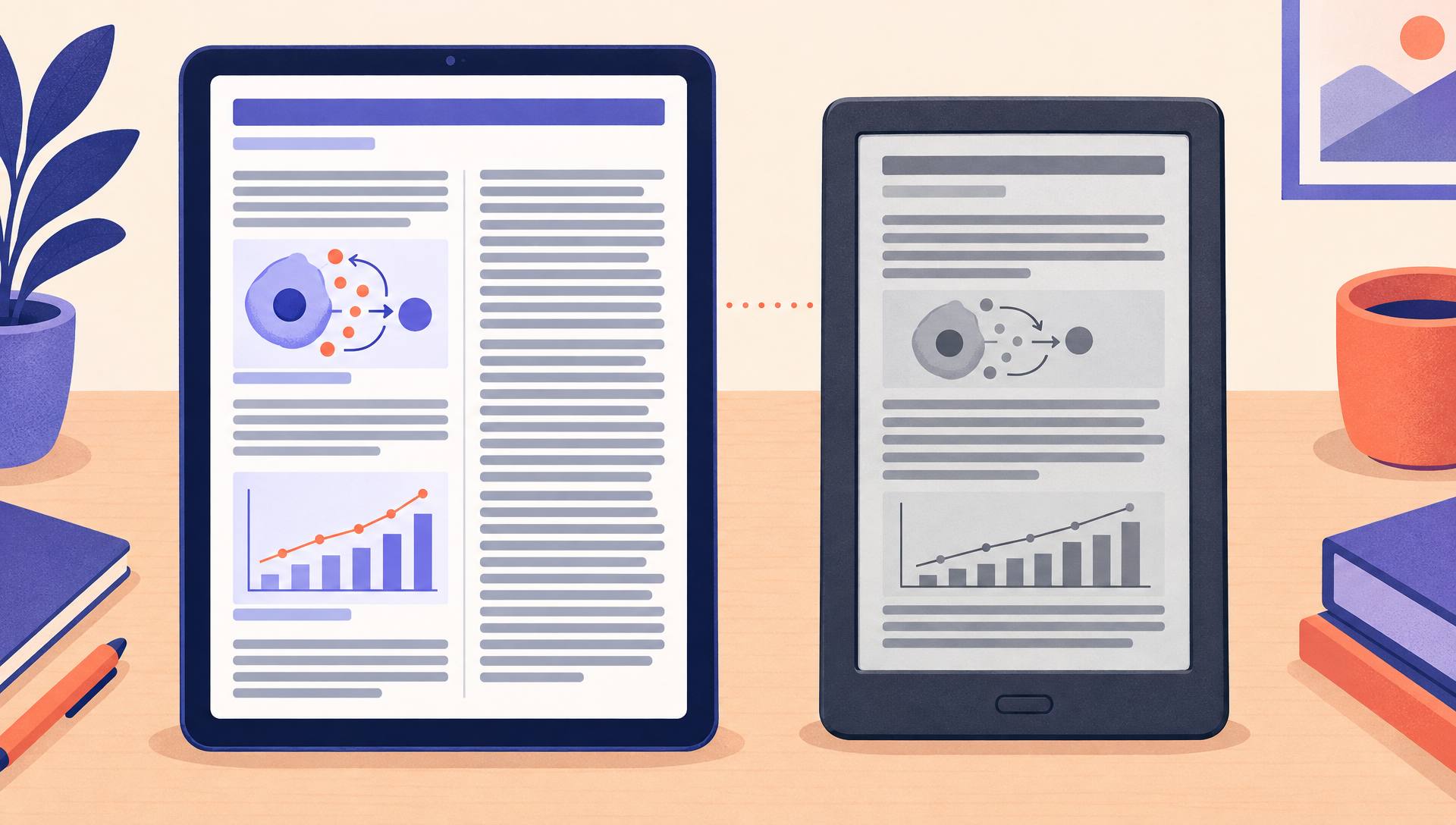
The three Kindle ebook formats
Amazon groups its ebook options into three families. They pay the same royalty rates, so the difference is in who can read the book and in the file size behind the delivery fee. Our guide to KDP royalties covers the rates themselves.
Reflowable
Text pours into whatever screen the reader holds. They pick the font, the size, the margins and the background, and features like X-Ray and screen readers work. You give up control of where a line or an image lands, and that is the trade almost every text book should make.
Fixed layout
Every page keeps its design, like a picture book spread. KDP offers versions with text pop-ups for children's books, image pop-ups for comics and virtual panels for manga, plus a plain version without pop-ups. Fire tablets and the Kindle apps show them well; e-reader support depends on the title.
Print Replica
A digital copy of your print PDF, made in Kindle Create. Page numbers, columns, tables and equations stay exactly where they print. It does not open on Kindle e-readers, readers cannot resize the text, and screen readers do not work, so Amazon recommends it only when the exact print layout is required.
Where each format works
Most Kindle buyers do not check the format before they buy. They find out when the book will not open on their Paperwhite, and that usually ends in a return and a bad review.
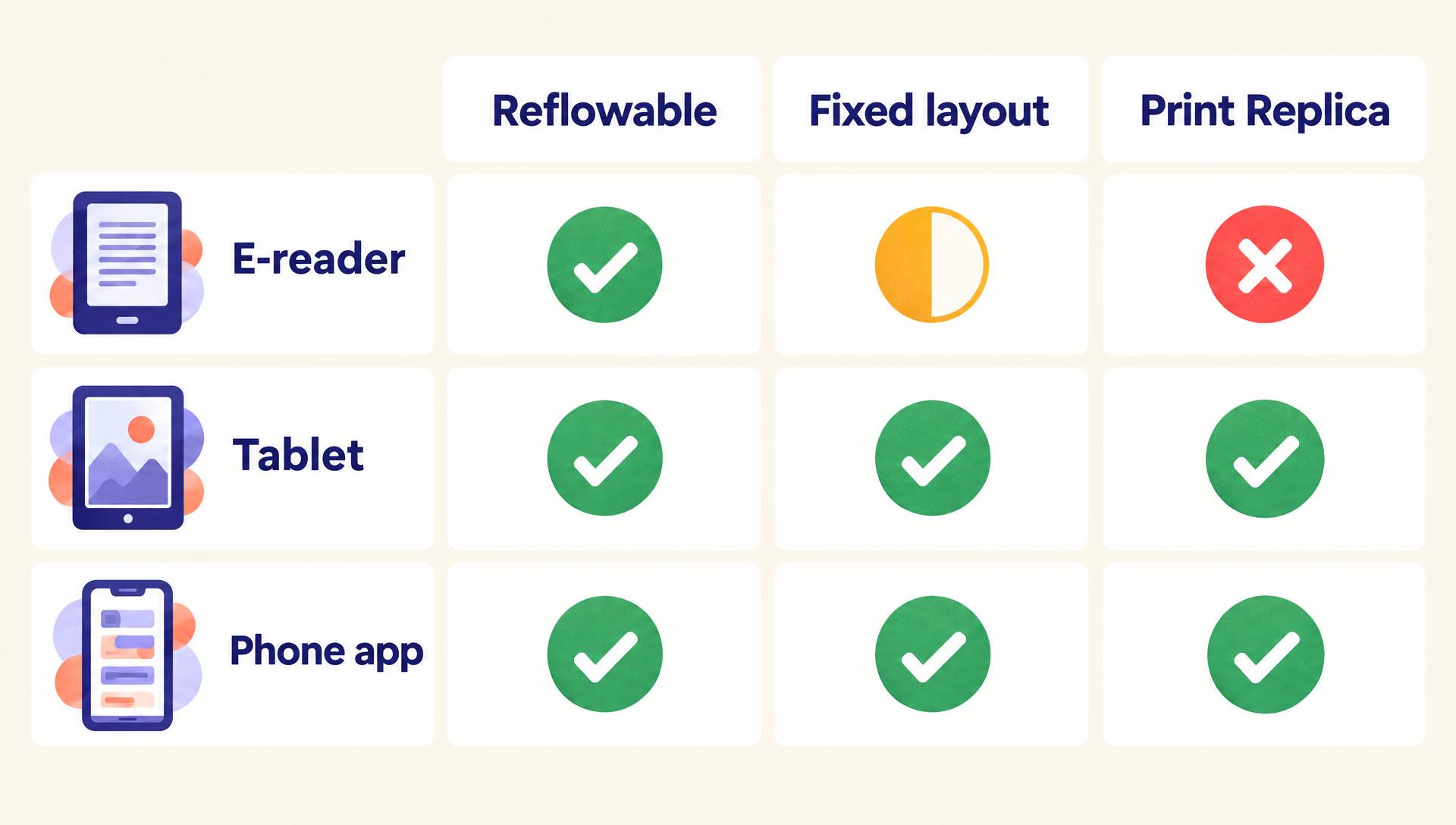
| What matters | Reflowable | Fixed layout | Print Replica |
|---|---|---|---|
| Kindle e-readers | Yes | Depends on the title | No |
| Fire tablets and Kindle apps | Yes | Yes | Yes |
| Reader changes font and size | Yes | No, pop-ups enlarge text instead | No, pinch to zoom only |
| Screen readers | Yes | No | No |
| Page layout | Flows to fit the screen | Locked page by page | Exact copy of the print PDF |
| Typical file size | Small unless image-heavy | Large, full-page art | Depends on the PDF's images |
| Best for | Novels, memoir, most nonfiction | Picture books, comics, manga, cookbooks | Textbooks, workbooks, technical manuals |
| How you make it | EPUB, DOCX or Kindle Create | Kindle Create or a fixed-layout EPUB | Kindle Create from a PDF, on PC or Mac |
Print Replica is not supported for Japanese-language books. Kindle Kids' Book Creator and Kindle Comic Creator were retired in 2025, so fixed-layout books now go through Kindle Create or EPUB.
Pick your format in three questions
Answer honestly about how readers will use the book, not about how you designed it.
1.Does art share the page with text in a set position, as in a picture book, comic or cookbook spread?
2.Do readers need the exact print page, for example page references in a class or fill-in forms?
3.Must the book open on Kindle e-readers like the Paperwhite?
Answer all three to see the format that fits.
The delivery fee that eats image-heavy royalties
On the 70% royalty option, Amazon charges a delivery fee of $0.15 per megabyte in the US, based on the size of the converted file. The 35% option has no delivery fee. Reflowable novels weigh a megabyte or two, so nobody notices. Fixed-layout and Print Replica books full of images can weigh tens of megabytes.
Here is a $12.99 ebook, the top of the 70% price band, at four file sizes.
| File size | 70% after delivery fee | 35%, no fee | Better option |
|---|---|---|---|
| 2 MB | $8.88 | $4.55 | 70% |
| 15 MB | $7.52 | $4.55 | 70% |
| 40 MB | $4.89 | $4.55 | 70%, barely |
| 60 MB | $2.79 | $4.55 | 35% |
The break-even rule
The two options pay the same when the file size in megabytes equals the list price divided by 0.3. That is about 43 MB at $12.99 and about 33 MB at $9.99. Above that size, 35% pays more. Compress art before you convert, and run your own numbers in the free royalty calculator.
How to make each format
Reflowable
- Write in clean styles: real headings, no tabs for indents, no manual page breaks inside chapters. Our guide on how to format a book for KDP covers the details.
- Export an EPUB or a DOCX, or style the manuscript in Kindle Create.
- Open the file in Kindle Previewer on the e-reader, tablet and phone views before you upload.
Fixed layout
- Finish the print interior first, with text placed into the artwork, because Kindle Create treats each page as a picture.
- In Kindle Create, import the PDF or images as an illustrated, comic or kids' ebook and add text pop-ups or panels. Our guide to formatting a children's book walks through the picture book side.
- Check that the smallest text is readable on a phone, then publish the KPF file.
Print Replica
- Start from the final print PDF with fonts embedded and images at a sensible resolution, so the file stays under the fee break-even.
- Import it into Kindle Create on Windows or Mac and choose Print Replica.
- Add the table of contents, internal links and any audio or video, then upload the KPF.
Common mistakes
Print Replica for a novel
It locks out e-reader owners and blocks text resizing. A novel has no layout worth that cost.
Ignoring file size
A 60 MB fixed-layout book on the 70% option earns less than it would on 35%. Check the converted size before you pick a royalty.
Expecting two formats on one book
Each Kindle book has one format. To sell a reflowable and a replica version, they have to be separate books with separate content.
Following an old tutorial
Kindle Kids' Book Creator and Kindle Comic Creator are gone and MOBI uploads stopped in 2025. Use Kindle Create or EPUB.
Tiny text baked into art
Fixed layouts shrink the page to fit a phone. Text that is fine in print can turn into a smudge on a small screen.
The faster way
Get the files from your manuscript in one pass
For text books, the AIWriteBook book formatter exports a reflowable EPUB checked with epubcheck, plus a print PDF in nine trim sizes, a DOCX and a cover wrap, all from the same manuscript. Five themes and twelve fonts style the print edition while the ebook stays reflowable.
For picture books and other illustrated work, Visual Books builds the storyboard, keeps one art style across every page, and exports a print-ready PDF with optional bleed. That PDF is the file Kindle Create imports when you make the fixed-layout ebook.
Print Replica vs reflowable FAQ
Can Print Replica books be read on a Kindle Paperwhite?
No. Print Replica books are not compatible with Kindle e-readers. They open on Fire tablets and in the Kindle apps for phones, tablets and computers.
Can I publish both a reflowable and a Print Replica version?
Not as one book. Each Kindle book can use only one format. A second version would have to be published as a separate book.
Which format should a children's picture book use?
Fixed layout with text pop-ups. KDP lists it as the best fit for children's books, and you can make it in Kindle Create from the print interior once the text is placed into the images.
Does the format change my royalty rate?
No. The 35% and 70% options apply the same way to every format. What changes is the file size, and on the 70% option the delivery fee grows with every megabyte.
Is Kindle Create the only way to make a Print Replica?
Kindle Create is the tool KDP names for it. You import a PDF on Windows or Mac, choose Print Replica, and upload the KPF file it saves.
Default to reflowable
If you cannot name the reader who needs the exact page, publish reflowable. Choose fixed layout when art and words are one thing, and keep Print Replica for books that people study with a pen in hand. Then check the file size before you pick a royalty option.
Planning the rest of the upload? The Amazon KDP guide covers metadata, pricing and print editions.